Reviews
Part of Reading smartphone basics with a sceptical eye
Cellular, Wi-Fi, Bluetooth, NFC, and GPS: smartphone connections compared
Smartphone connections compared: learn how cellular, Wi-Fi, Bluetooth, NFC, GPS, and USB differ in range, purpose, privacy, cost, and control.
What to take away
- Cellular and Wi-Fi commonly carry internet traffic, but they use different networks, billing, and coverage.
- Bluetooth links nearby personal devices, while NFC operates at very close range for taps and tags.
- GPS and related satellite systems help calculate position; they are not the same as mobile data.
- USB may deliver power, data, video, or accessories, depending on the phone, port, and cable.
- Switching off one connection does not prove every wireless path is off.
Smartphone menus group several technologies under words such as "connections" or "network." That can make them look interchangeable. They are not. Each has its own range, role, hardware, energy use, privacy questions, and failure modes. How those radios sit beside the processor, storage, and operating system is covered in smartphone basics.
Quick comparison
Typical role
- cellular
- calls, texts, mobile data
- Wi-Fi
- local network and internet access
- Bluetooth
- nearby accessories and device exchange
- NFC
- tap payments, tags, close exchange
- satellite positioning
- geographic position and time
- USB
- charging and wired data
Approximate reach
- cellular
- neighborhood to regional coverage
- Wi-Fi
- room to building scale
- Bluetooth
- personal-area range
- NFC
- a few centimeters
- satellite positioning
- signals arrive from orbit
- USB
- cable length
Requires internet?
- cellular
- no for all functions, yes for internet services
- Wi-Fi
- no for local networking, yes for internet services
- Bluetooth
- no
- NFC
- not for the radio exchange itself
- satellite positioning
- no for basic positioning
- USB
- no
Common control
- cellular
- mobile network or SIM settings
- Wi-Fi
- Wi-Fi settings
- Bluetooth
- Bluetooth settings
- NFC
- NFC or wallet settings
- satellite positioning
- location settings
- USB
- connection prompt or accessory setting
Ranges are only broad guides. Walls, interference, antennas, power, standards, network design, and device settings all matter.
Smartphone connections compared
Cellular
- Role
- calls, data
- Reach
- regional
- Internet
- for services
- Control
- SIM settings
Wi-Fi
- Role
- local network
- Reach
- building
- Internet
- for services
- Control
- Wi-Fi settings
Bluetooth
- Role
- accessories
- Reach
- personal
- Internet
- no
- Control
- Bluetooth settings
NFC
- Role
- tap payments
- Reach
- centimeters
- Internet
- no
- Control
- wallet settings
Cellular: the carrier connection
Cellular radios connect a phone to a mobile operator's network. A SIM or eSIM usually identifies the subscription; the handset must support the operator's frequencies and technology. Activating either on a new handset is the service step in setting up a new smartphone safely.
Signal bars do not measure every aspect of service quality, and congestion, backhaul, indoor penetration, roaming arrangements, and account limits can affect the result.
Calls and texts may use newer packet-based systems even though they appear as separate phone functions. Emergency calling can behave differently from ordinary service. Do not use a casual signal test as proof that emergency communication will work in every location.
Wi-Fi: a local network path
Wi-Fi connects the phone to a nearby access point. That access point may lead to the internet, a local printer, a camera, or no outside service at all. Connecting successfully to Wi-Fi therefore does not guarantee internet access. What sits behind that access point, from the provider connection to address assignment, is explained in home networking basics.
The network owner can control passwords, traffic policies, filtering, and equipment. On an unfamiliar network, avoid ignoring certificate warnings or installing profiles merely to get online. A virtual private network can protect some traffic paths, but it does not make a dishonest app, fake login page, or compromised phone trustworthy.
NIST's mobile threat catalogue separates mobile communication mechanisms into cellular, Wi-Fi, Bluetooth, GPS, NFC, and physical connections. It also notes that a UICC, commonly called a SIM card, stores subscriber identity information used with cellular systems. That model is useful because each path deserves its own settings and risk review.
Bluetooth: a personal-area link
Bluetooth is commonly used for earbuds, speakers, watches, keyboards, medical devices, car systems, and file exchange. Devices normally discover one another and pair, then reconnect later under saved permissions.
Pair only when you can identify the other device. Check the displayed code when a pairing flow provides one. Remove old rentals, cars, speakers, and accessories from the saved list. That cleanup is one of the recurring items in the smartphone upkeep and security checklist. A connection may carry contacts, messages, audio, or controls, not just sound.
The correct response to Bluetooth trouble depends on the layer. If the accessory is absent from the list, discovery or power may be the problem. If it appears but will not connect, an old pairing or another host may be holding it. If it connects with poor audio, distance, interference, codec support, app behavior, or battery state may be involved.
NIST describes Bluetooth as short-range radio communication for wireless personal-area networking and publishes a Bluetooth security guide covering the technology's security capabilities and organizational use. For consumers, the practical lesson is simple: treat a paired device as a relationship with permissions, not as a disposable switch.
NFC: a deliberate close-range action
Near-field communication works over a very short distance. It can start a payment, read a tag, exchange a small record, or help bootstrap another connection. Its short reach reduces some accidental connections, but users still need to confirm the terminal, amount, app, or action shown on screen.
NFC does not mean that a payment card number is openly broadcast. Wallet systems, banks, terminals, and device security all contribute to a transaction. If a phone is lost, use the wallet provider and card issuer procedures rather than assuming screen lock alone settles every risk.
GPS: position, not a data plan
GPS is one satellite navigation system. Phones may also use other satellite constellations plus cellular, Wi-Fi, Bluetooth beacons, motion sensors, and saved maps to improve location estimates. "Location services" is therefore a combined service, not a synonym for GPS.
A phone can calculate a satellite-based position without mobile data, but downloading maps, traffic, search results, or route changes may need a connection. Offline maps can reduce that dependency if downloaded before travel.
USB: one connector, several jobs
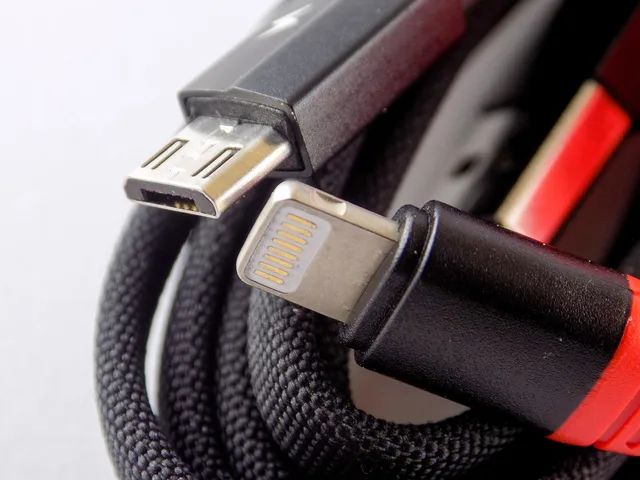
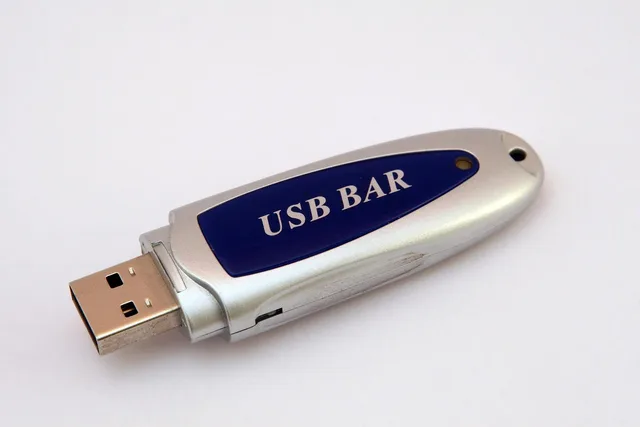
A USB cable may carry charging only, charging plus data, video output, diagnostics, or an accessory connection. Connector shape does not prove speed or power rating.
When a phone asks whether to allow data access, choose charging only unless you trust the device and need the transfer. Computer USB-C ports share that ambiguity, which laptop basics covers port by port.
Use chargers, cables, and adapters that meet the phone maker's requirements. Stop using equipment with exposed conductors, damaged insulation, looseness, overheating, odor, or discoloration.
Which connection should you use?
- Use cellular when moving through covered areas or when no trusted Wi-Fi is available, subject to plan costs and limits.
- Use trusted Wi-Fi for local services or internet access where it performs well.
- Use Bluetooth for known personal accessories, then remove relationships you no longer need.
- Use NFC when a close tap is the intended action and the screen confirms the right transaction.
- Use location services at the precision and duration an app needs.
- Use USB with equipment whose power and data capabilities you understand.
Common questions
Does airplane mode turn off every radio?
Behavior varies. Many phones disable cellular first and allow Wi-Fi or Bluetooth to be turned back on. Check the status icons and model instructions for the setting you need.
Can GPS work without a SIM?
Satellite positioning can work without a SIM, but maps, assisted location data, traffic, and online search may need another data connection.
Is Bluetooth safer than Wi-Fi?
That comparison is too broad. They solve different problems and have different protocols, ranges, configurations, and threats. Safe use depends on current software and deliberate connection choices.
Why does a charging cable not transfer files?
Some cables contain only power wiring, and some phones default to charging until the user approves data access. The port, cable, accessory, and software must all support the requested function.