Guides
Do You Need a VPN at Home? What a VPN Does and Doesn't Protect
Do you need a home VPN? A one-person, no-budget US household rarely does. HTTPS and router security cover most home use; a VPN shifts trust, not identity.
What to take away
- Do you need a home VPN? For most US one-person households, no, if HTTPS and a router firewall are already in place.
- A paid VPN shifts trust from your internet service provider to a VPN company. It does not make you anonymous when you sign into Google, Meta, or your bank.
- A VPN hides your traffic from the ISP and changes your IP address. It does not hide what you post, buy, or search while logged in.
- Under a no budget, one person, no audience constraint, skip a subscription until you hit a concrete need like repeated ISP throttling or a work requirement.
What the constraint removes
The rest of this article assumes a measurable constraint: one person in the household, $0 per month for privacy subscriptions, and no public audience that could be matched to a home IP address. That constraint rules out paid consumer VPN plans from providers like Mullvad, Proton VPN, and ExpressVPN. It also rules out the claim that a VPN alone prevents ISP data collection, because the VPN provider can still see your traffic after decryption at its server. Virtual private network explains how the tunnel works and why the endpoint matters.
No comprehensive federal privacy law stops US internet service providers from collecting and selling browsing data. A VPN reduces what the ISP sees but shifts that visibility to the VPN provider.
A VPN is a tunnel, not a mask. If you sign in to a service, that service knows who you are even when your IP address changes.
A $0 budget also removes the default recommendation to run an always-on VPN on every home device. For one person with no audience to protect, a VPN would add latency and a second company to trust without a clear privacy gain.
What still works
The free protections you already have cover most home browsing. HTTPS encrypts the content of each page you visit, so your ISP sees the domain but not the page text or passwords. A router firewall blocks unsolicited inbound connections. Browser settings for cookies and tracking prevention reduce cross-site profiling. Internet privacy describes these layers in more detail.
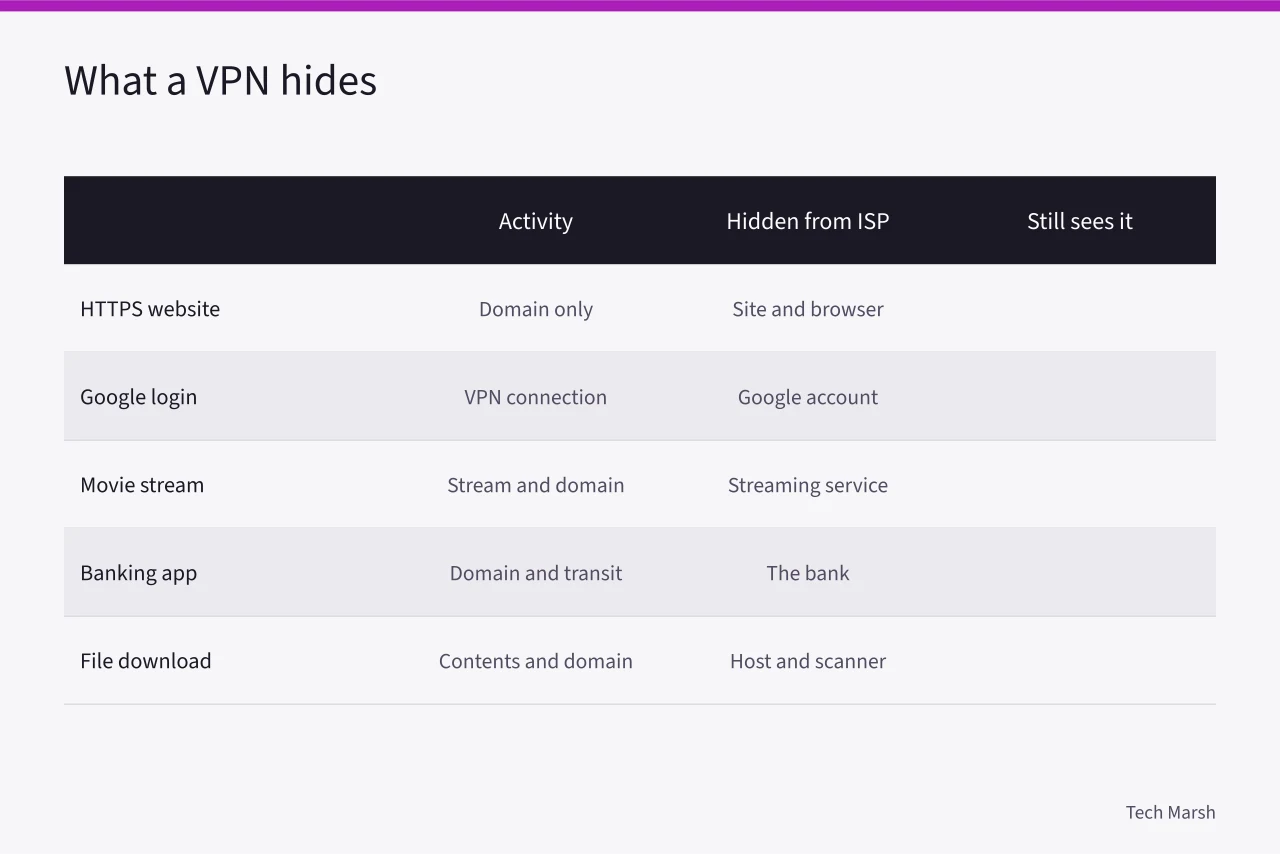
| Activity | What a home VPN hides from your ISP | What still sees it |
|---|---|---|
| Visiting a website with HTTPS | Only the domain, not page content | The website, your browser, and your account |
| Signing into Google or Facebook | The fact that you connected to a VPN | Google or Facebook, because you are logged in |
| Streaming a movie | The specific stream and domain | The streaming service, which still sees your account and IP from the VPN |
| Using a banking app | The domain and data in transit | The bank, because you authenticate |
| Downloading a file | The file contents and domain | The file host and any copyright or malware scanner |
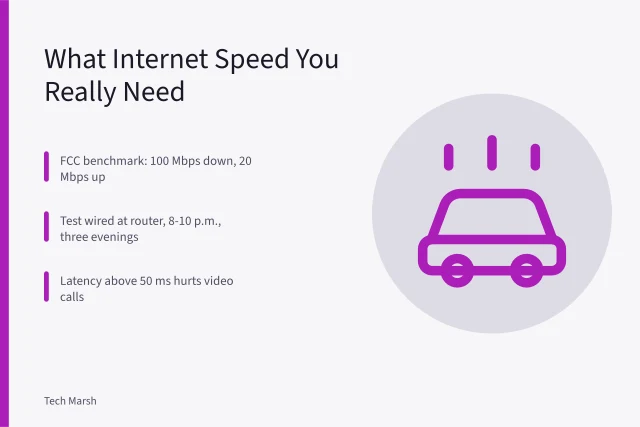
For US broadband users, capacity matters before you add a VPN layer. FCC consumer guide on broadband speeds lists what typical activities need.
If your plan already sits near its monthly data cap or speed floor, a VPN may make it worse.
Compromises worth making
If you want a small privacy improvement without spending money, turn on encrypted DNS in your router or browser. Services like Cloudflare's 1.1.1.1 and Quad9 are free and hide DNS queries from your ISP, though not the domains you visit. For narrow, unlogged browsing, use the Tor Browser. It is free and changes your IP address across three relays, but it is too slow for streaming or large downloads.
If your real worry is a cloud backup or photo library, Cloud storage privacy under California and Illinois law explains state protections better than a VPN would.
A more useful compromise is to apply a VPN for one task, not every packet. If you occasionally need to test a region-locked page or bypass an ISP block, use a free tier from a reputable provider for that session and then disconnect. Do not leave it on all the time, because free tiers often have data caps or sell aggregated traffic data.
Compromises that are not
Do not use a free consumer VPN as a permanent privacy layer. Many free VPNs make money by injecting ads, collecting traffic logs, or selling browser history to data brokers. Do not route banking or work logins through an untrusted free VPN, because that shifts a password reset or account takeover risk to a third party you cannot audit. A VPN will not stop someone who already has your email password, so if you have lost an inbox, 8 things nobody tells you about email takeover recovery case covers the recovery steps before you buy any privacy tool.
Also do not pay for a router-based VPN that slows every device without a specific reason. For a one-person household, that is a monthly cost with no matching benefit.
When to stop and resource it properly
The free workaround stops paying when you hit one of these thresholds. If your ISP throttles a specific service in three separate weeks and the slowdown disappears when you use a VPN test server, that is a measurable sign to budget for a paid VPN. If you start publishing work that could lead someone to your home address, the no-audience constraint no longer holds. If an employer or client requires a VPN endpoint, the $0 rule is gone.
Before you budget for a paid VPN, confirm your home plan has enough headroom with How Much Internet Speed Do You Actually Need.
At that point, stop improvising with free tiers and choose one paid, audited provider with a clear no-logs policy. Set it up on a single router or device, not every gadget. That one subscription can then be justified by a concrete, repeatable need rather than by privacy marketing.
Common questions
Does a VPN hide my browsing from my ISP? Yes, a VPN hides the specific pages and data from your ISP, but the ISP still sees that you are connected to a VPN server and sees the total amount of data.
Do I need a VPN for home Wi-Fi? No, home Wi-Fi is usually protected by your router password and WPA3 encryption. A VPN adds no meaningful protection against someone trying to join your network.
What does a VPN not hide? A VPN does not hide your account identity, your searches while signed in, your purchases, or the fact that you are using a VPN. It also does not govern who can access a cloud backup after a device fails. Which US state privacy laws govern your cloud backup after a device fails is a separate question.
Is a free VPN safe? Most free VPNs are not safe for sensitive accounts. They often collect or sell data, and a few inject ads or have weak encryption.