Features
Part of Reading smartphone basics with a sceptical eye
A new phone migration case: retiring the old phone safely
A new phone migration case: how one household moved data, protected account access, tested backups, reset the old Android phone, and recycled it safely.
What to take away
- The household defined successful migration by data and service categories, not by a completed progress bar.
- It protected two-factor access before moving the mobile number.
- The old phone stayed unchanged until the new phone passed written tests.
- Reset and account removal happened only after backup and recovery checks.
- The recycling receipt and device identifiers closed the process.
This fictional new phone migration case shows a sound workflow. It is not a promise that every manufacturer, carrier, bank, or authenticator uses the same steps. The general sequence it follows is how to set up a new smartphone safely. The people and devices are invented, while the decision points reflect common migration risks.
The situation
Maya owned a four-year-old Android phone with a weakening battery and limited security-support time. She used it for family photos, banking, transit, work email, a password manager, and an authenticator app. Her partner Luis would help with the transfer, but Maya wanted to keep her credentials private.
The retailer offered an immediate trade-in. Maya declined same-day handover because she had not yet proved that her local recordings and authentication accounts would move.
Their definition of done
They made a six-part acceptance list:
The six tests were: original photos and videos open at full resolution; documents and local recordings are present; contacts and messages are searchable; the authenticator produces accepted codes; the password manager opens after a restart; and banking, transit, and work email each pass a real sign-in, ticket move, or test message.
Six-Part Acceptance Test
- Mobile servicecalls, texts, voicemail, data work
- Identityprimary account and recovery work
- Personal datasampled photos, contacts, messages open
- Protected appsbank, password manager, authenticator function
- Backupnew backup completes, categories visible
- Old deviceremoval, erasure, inspection, recycling complete
This changed the job from "copy the phone" to "prove each needed service works."
Day 1: inventory and recovery
Maya listed installed apps and marked those with local or regulated data. She checked that her password manager was synchronized and that its emergency recovery material was stored offline. She generated fresh recovery codes for important accounts without relying on screenshots saved only on the phone.
The authenticator app required its own supported export. Token transfer and backup codes differ by method, as passwords, passkeys, and MFA compared sets out. She tested two accounts on a computer before changing anything else. Her work email required administrator enrollment on a new device, so she scheduled that for the next morning rather than trying random settings at night.
She then ran a phone backup and a separate photo-library check. Luis compared a sample of old, middle, and recent dates, including videos rather than thumbnails alone. Sampling across dates and types is what turns a backup toggle into evidence, as the smartphone upkeep and security checklist puts it.
Day 2: service and transfer
Both phones were charged and connected to Maya's home network. She followed the new phone's on-screen transfer flow and the carrier's eSIM activation process. What an eSIM changes about the carrier relationship is covered in cellular, Wi-Fi, Bluetooth, NFC, and GPS compared. Luis recorded start and finish times but did not handle passwords.
When the transfer reported completion, two apps were absent and several messages were still downloading. That did not count as failure yet. Separating a slow background process from a real fault is the first move in common smartphone problems and fixes. They left the phones powered and connected, then retested after the background work finished.
Calls and mobile data worked, but voicemail needed a separate sign-in. A transit app required Maya to move its stored ticket through the provider's account process. Her banking app treated the new phone as an unrecognized device and completed a new verification step.
Day 3: category testing
Maya worked through the acceptance table. She opened ten photos across several years, played three videos, opened downloaded documents, and searched for several contacts and messages. Confirming full-resolution originals rather than placeholders is a point cloud storage basics makes about online-only files. She confirmed that the authenticator produced accepted codes and that her password manager could open after a restart.
The work administrator enrolled the new phone and confirmed required security policy. Maya removed the work profile from the old phone only after the new one received and sent a test message.
She reviewed permissions rather than copying every prior choice. A shopping app lost precise-location access. The transit app kept location only while in use. Lock-screen message previews were hidden, and lost-device controls were tested from a computer without issuing an erase command.
The pause before erasure
They waited four more days. During that period, Maya found one voice recording stored only in an old app folder. She exported it and updated the acceptance list. This justified the waiting period: the main transfer looked complete, but an important local file was missing.
The Federal Trade Commission's consumer guidance, Disposing of Your Mobile Device, calls for backing up data, removing SIM and storage cards, performing a factory reset, updating accounts that use the old number, and recycling responsibly. Maya used those categories as the retirement checklist.
Day 8: retirement
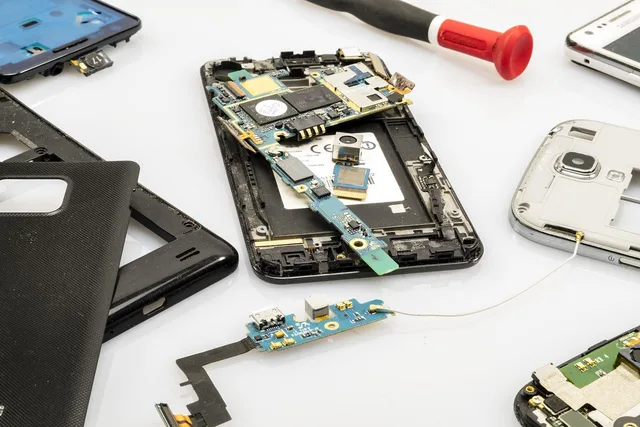
Maya recorded the old phone's serial number, physical condition, and battery state. She removed the physical storage card and checked that no SIM remained. She signed out and removed account protections in the sequence specified by the manufacturer so that the phone would not remain activation-locked for the recycler.
Before reset, she confirmed:
- the latest backup date;
- the new phone's screen code and primary account password;
- access to account recovery without the old device;
- completed transfer of authentication methods;
- return and recycling terms; and
- the exact old device shown in her account list.
She also checked the destination for every item that would leave the phone. The storage card went into a labeled envelope rather than the recycling box. The carrier confirmed that the retired eSIM profile no longer controlled her line. Her device account showed the new phone correctly, and the old phone no longer held a payment card.
Luis read the recycler's acceptance rules while Maya retained the delivery record. This separation kept the data-transfer decision, account-removal decision, and physical-disposal decision from collapsing into one irreversible tap.
A factory reset restores a device to its original system state, erasing data, settings, and applications. Android's Factory Reset Protection can keep a reset phone tied to the previous owner's account unless that account is removed first.
Maya charged the phone, confirmed her credentials, removed her accounts, and followed her model's documented sequence, not a generic button combination.
After the reset, the phone displayed its initial setup screen. Maya did not enter her account again. She powered it down, photographed the screen and package, and delivered it to an electronics recycler. She kept the receipt with the serial number.
What prevented rework
Three choices mattered most:
- The success criteria were written before migration.
- Authentication and recovery were treated as their own data category.
- Erasure waited until ordinary use exposed anything missing.
The process took longer than the retailer's quick-transfer estimate, but it avoided guessing about account access and local files.
Reusable migration worksheet
| Stage | Owner | Evidence | Stop condition |
|---|---|---|---|
| inventory | phone owner | app and data list | unknown local data remains |
| backup | phone owner | timestamp and category review | backup fails or credentials are missing |
| service activation | owner and carrier | call, text, data, voicemail tests | line or authentication fails |
| data transfer | phone owner | sampled files across dates | important category is absent |
| account recovery | phone owner | login and recovery test | old phone is the only second factor |
| old-phone reset | phone owner | initial setup screen | any acceptance test remains open |
| recycling | owner and recycler | receipt and identifier | destination cannot explain data handling |
Common questions
Why did Maya wait before resetting the old phone?
Background transfers and normal use can reveal missing local data that a completion screen does not show.
Should another person handle the transfer?
Help can be useful, but the owner should enter credentials, approve access, and supervise personal-data handling. Work-managed devices may require an administrator.
Is reaching the setup screen proof of erasure?
It is a useful check after the supported reset, but the owner must also follow account-removal and activation-lock instructions for the specific platform.
Why keep the recycling receipt?
It records where and when the device was handed over and can support a trade-in, warranty, tax, or disposal record.