Guides
Reading smartphone basics with a sceptical eye
Smartphone basics explained through hardware, software, connections, storage, accounts, privacy, maintenance, and buying decisions for everyday users.
What to take away
- A smartphone combines computing, communication, cameras, sensors, storage, and battery power in one portable device.
- The operating system manages the hardware, while apps perform narrower tasks and receive separate updates.
- Cellular service, Wi-Fi, Bluetooth, NFC, and satellite positioning solve different connection problems.
- Storage, memory, battery health, software support, and repairability matter more than a long feature list.
- A screen lock, current software, reliable backup, and recovery plan protect both the phone and the information on it.
A smartphone can feel simple because most actions begin with a tap. Under that glass, however, several systems work together. Knowing their roles helps you choose a phone, solve routine problems, and avoid settings that do not fit your needs.
This guide covers concepts that hold across brands. Menu names and controls change by model, carrier, operating system, and software version.
When a step depends on a particular device, follow the phone maker's current instructions. The order those first hours take, from service activation to a verified backup, is set out in how to set up a new smartphone safely.
What makes a phone smart
A basic mobile phone handles calls and messages. A smartphone adds a general-purpose operating system, downloadable applications, internet access, local data storage, cameras, and sensors. It can edit documents, map a trip, authorize a payment, join a video call, and control other devices.
The word "phone" can therefore be misleading. Voice calling is one function among many. The device is closer to a pocket computer that also connects to a carrier network.
The main layers
Hardware
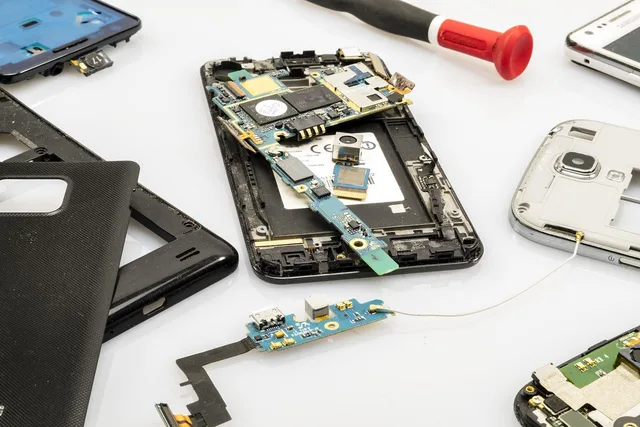
Hardware is the physical equipment: processor, memory, storage chips, display, touch sensor, cameras, microphones, speakers, radios, antennas, ports, buttons, battery, and biometric sensors. Hardware sets limits that software cannot remove. An app cannot create optical zoom if the camera lacks the needed lens, for example.
Operating system
The operating system coordinates the hardware and provides common services to apps. It handles permissions, notifications, files, networking, security controls, and the visible interface. A major system update can add features or change menus. A security update may fix flaws without changing how the phone looks.
Apps and accounts
Apps handle focused jobs. Many depend on an account that stores identity, preferences, purchases, or synchronized data. Deleting an app does not always delete its cloud account or remote records. Device, data, and account are separate things to protect, as the consumer device security guide sets out. Likewise, replacing a phone does not necessarily cancel a subscription.
Data
Some data lives on the phone, some on removable storage, and some with an online service. A photo may exist in all three places. Before deleting anything, find out whether synchronization mirrors deletions across devices or whether a backup preserves an independent copy. That split between a mirrored library and an independent copy is the heart of cloud storage basics.
The National Institute of Standards and Technology defines a mobile device around capabilities such as portability, local storage, wireless communication, a self-contained power source, and synchronization. That mobile device definition explains why a modern phone must be managed as both a physical object and a connected computer.
How smartphone connections differ
Common use
- Cellular
- calls, messages, mobile data
- Wi-Fi
- local internet access
- Bluetooth
- headphones, watches, cars
- NFC
- tap payments, tags, short-range exchange
- Satellite positioning
- location and navigation
- USB
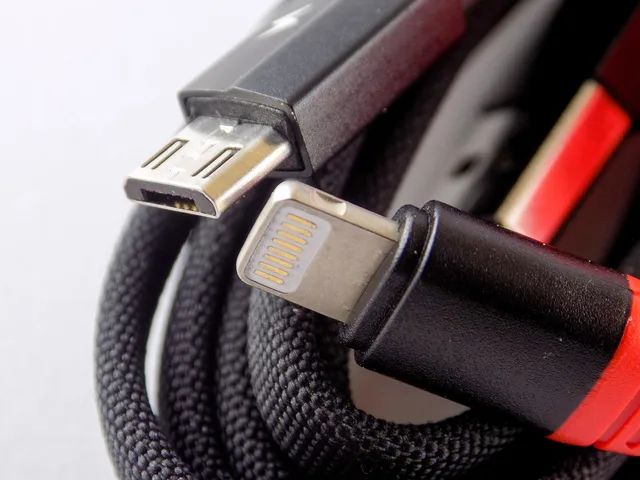
- charging, accessories, wired data
What to remember
- Cellular
- requires compatible service, coverage, and usually a SIM or eSIM
- Wi-Fi
- speed and trust depend on the network, not only the phone
- Bluetooth
- works over short distances and uses pairing
- NFC
- works only at very close range
- Satellite positioning
- receives positioning signals; map data may still require internet access
- USB
- cable and charger capabilities vary
Turning off one radio does not necessarily disconnect the others. Each radio has its own reach, role, and control, set out in cellular, Wi-Fi, Bluetooth, NFC, and GPS compared. Airplane mode behavior also varies, and users can often turn Wi-Fi or Bluetooth back on separately.
How smartphone connections differ
Cellular
- Common use
- calls, messages, mobile data
- What to remember
- service, coverage, SIM/eSIM
Wi-Fi
- Common use
- local internet access
- What to remember
- speed and trust vary by network
Bluetooth
- Common use
- headphones, watches, cars
- What to remember
- short range, uses pairing
NFC
- Common use
- tap payments, tags
- What to remember
- very close range only
Memory is not storage
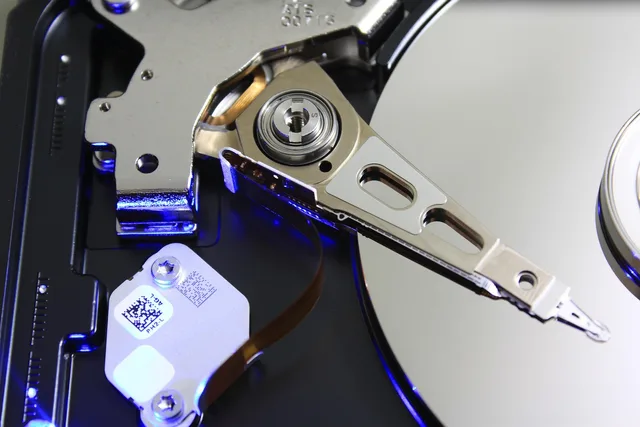
Memory, often called RAM, is the working area used by active software. More memory can help apps remain responsive or stay open in the background. Storage holds apps, photos, downloads, and system files after power is off.
A phone with full storage may slow down, fail to update, or stop capturing media. A phone with limited memory may reload apps more often. These problems can feel similar, so check the correct measurement before buying cloud space or deleting files.
Battery capacity and battery health
Capacity describes how much energy a battery can hold under specified conditions. Health describes how its present ability compares with its original state. Age, heat, charging patterns, and heavy use affect wear. A large battery can still perform poorly if degraded, while efficient hardware can make a smaller battery last longer.
Judge battery life using your own workload. Navigation, gaming, video recording, bright screens, weak cellular signals, and mobile hotspots can draw much more power than reading saved text.
The four controls every owner should set
- Use a strong screen lock and enroll biometrics only for trusted users.
- Turn on operating system and app updates where practical.
- Configure a backup, then confirm what it includes and how recovery works.
- Set up a lost-device feature and record the account recovery information somewhere safe.
Also review permissions. A flashlight app should not receive contacts or precise location without a clear reason. Permission choices can sometimes reduce functionality, so test the app after changing them. For a structured pass, the FCC's Smartphone Security Checker generates a ten-step checklist matched to the phone's operating system.
What to compare when buying
Begin with the jobs the phone must do. Then compare:
- supported cellular bands and carrier compatibility;
- remaining software-support period;
- usable storage and expansion options;
- screen readability, size, and accessibility features;
- camera behavior in conditions you use;
- battery endurance and charging compatibility;
- repair options, parts availability, and warranty terms;
- water-resistance rating and its warranty limits; and
- total cost, including service, storage, accessories, and insurance.
Do not pay for a specification you cannot connect to a need. A faster processor may matter for games or video editing but make little difference to messaging and transit directions.
A sound ownership routine
Monthly, check pending updates, backup status, free storage, unfamiliar apps, and account alerts. Also check damaged cables. The weekly, monthly, and event-based version of that routine is the smartphone upkeep and security checklist.
Before travel, verify roaming costs, offline maps, emergency contacts, and account recovery access. Before repair, back up the phone. Ask how the shop handles passcodes and personal data.
These habits are modest, but they reduce the chance that a lost, broken, or replaced phone becomes a wider personal-data problem.
Common questions
Is a smartphone the same as a mobile device?
A smartphone is one type of mobile device. Tablets, some watches, and specialized handheld computers may also fit the broader category.
Does more storage make a phone faster?
Not by itself. Nearly full storage can cause trouble, but processor speed, memory, software, heat, and storage technology also affect performance.
Does Wi-Fi replace cellular service?
Wi-Fi can carry internet traffic and sometimes calls, but ordinary carrier calling, mobile coverage, and emergency behavior depend on the device, plan, network, and location.
How often should a phone be replaced?
There is no fixed interval. Replace or repair it when it no longer receives needed security support, cannot perform required tasks, has unsafe damage, or costs more to keep than a suitable alternative.
In this guide
- Getting a new smartphone ready safely, one careful step at a timeNew smartphone setup steps for safe transfer, account recovery, updates, permissions, backups, connectivity, privacy, and old-device handling.
- Cellular, Wi-Fi, Bluetooth, NFC, and GPS: smartphone connections comparedSmartphone connections compared: learn how cellular, Wi-Fi, Bluetooth, NFC, GPS, and USB differ in range, purpose, privacy, cost, and control.
- Smartphone upkeep and security checklist for weekly, monthly, and event based checksSmartphone upkeep and security checklist with weekly and monthly checks for updates, backups, storage, locks, permissions, battery care, travel, repair, and resale.
- Sensible first fixes for common smartphone problemsCommon smartphone problems and first fixes for freezing, battery drain, heat, storage, charging, signal, Wi-Fi, Bluetooth, and app crashes without guesswork.
- A new phone migration case: retiring the old phone safelyA new phone migration case: how one household moved data, protected account access, tested backups, reset the old Android phone, and recycled it safely.