Reviews
Part of Consumer device security: a four-asset framework
Passwords, passkeys, and MFA compared for everyday account safety
Passwords, passkeys, and MFA compared across phishing resistance, recovery, portability, device loss, shared secrets, usability, and consumer account fit.
What to take away
- A password is a shared secret; reuse lets one breach threaten several accounts.
- MFA asks for more than one category of evidence, but methods resist phishing differently.
- Passkeys use cryptographic credentials and may be synchronized or bound to hardware.
- Security keys provide strong phishing resistance but need spare and recovery planning.
- Account recovery can weaken an otherwise strong sign-in design.
Authentication proves an identity to a service. Authorization decides what that identity may do. A strong login cannot fix excessive account permissions, and a secure device cannot compensate for a weak recovery process. Where sign-in sits among the other controls is set out in the consumer device security guide.
Comparison
Main strength
- unique password
- works nearly everywhere
- SMS code
- familiar, widely offered
- authenticator code
- independent of phone service
- push approval
- convenient
- security key
- phishing-resistant when properly used
- passkey
- phishing-resistant cryptographic sign-in
Main exposure
- unique password
- phishing, reuse, theft
- SMS code
- message interception and phishing
- authenticator code
- code can be phished
- push approval
- approval fatigue and deceptive prompts
- security key
- loss or compatibility
- passkey
- provider and device recovery design
Recovery need
- unique password
- manager and account recovery
- SMS code
- working number and carrier account
- authenticator code
- seed transfer or backup codes
- push approval
- registered backup method
- security key
- spare key and provider recovery
- passkey
- synced provider or another credential
Passwords
Use a unique password for every account and let a trusted password manager generate and store it. Length matters, but uniqueness prevents one stolen password from becoming a key to every service. Replacing reused passwords in priority order is one step of how to harden personal devices and accounts.
Security questions are another shared secret. Give unique answers that cannot be found in public records, then store them securely.
Multi-factor methods
MFA combines two or more factors, often something known, possessed, or inherent. Two passwords are still one factor category. A fingerprint used only to open a password manager may not be an independent factor at the remote service.
CISA's MFA method comparison ranks physical security keys as the strongest listed choice, then number-matching prompts, authenticator codes, biometrics, and text or email codes. The page is written for businesses, but consumers can use its method distinctions when services offer choices.
Text codes remain preferable to password-only access when no stronger option is available. Protect the carrier account with its own PIN and watch for unexpected loss of service.
Authenticator apps
Time-based codes work without cellular reception, but a fake site can relay a code in real time. Record how the app transfers or backs up tokens before replacing the phone. Never assume the phone's general backup includes authenticator secrets. Moving those tokens is its own category during smartphone setup and transfer.
Number-matching prompts reduce blind approval because the user must compare a displayed number. Still verify the service, device, and location. Deny and report a prompt you did not initiate.
Security keys
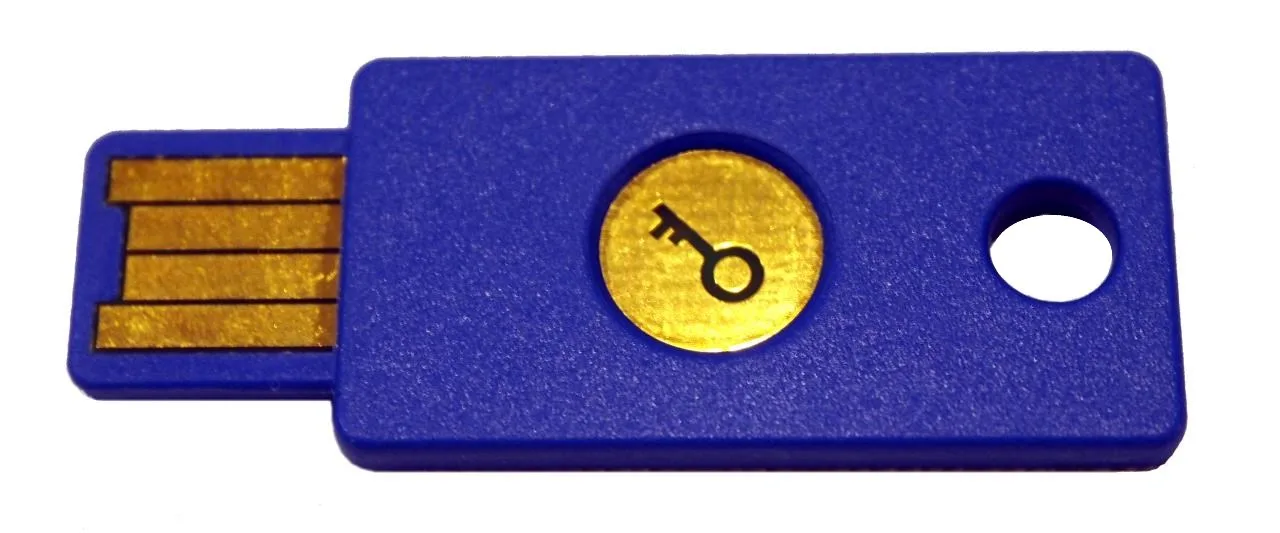
A compatible physical key can bind authentication to the legitimate service. Register at least two keys where practical and store the spare separately. Label keys without naming the protected accounts.
Check USB, NFC, or other interface support on every device you may need. Mapping every accessory to an actual port or tested adapter is a step in laptop basics. Learn the service's recovery policy before removing weaker methods.
Passkeys
The NCSC assesses that passkeys are more secure than traditional logins. The credential is cryptographically bound to the legitimate service, which removes the cheap reuse and relay that make phished passwords and codes valuable.
A passkey may synchronize across devices through platform services or stay bound to a particular device or security key. Each use is approved the way the user normally signs in to the device.
Passkeys reduce password theft but shift attention to device locks, passkey-provider accounts, cross-device sign-in, and recovery. Keep another supported way to regain access.
Choose by account impact
Use the strongest practical phishing-resistant method for primary email, password manager, financial services, device accounts, carrier administration, and work access. For a low-impact service with limited options, a unique password plus available MFA is still sound. The recurring account review that keeps these choices current is the personal device and account security checklist.
Common questions
Is a passkey the same as a password stored in a manager?
No. A passkey uses public-key cryptography rather than sending a reusable shared secret to the service.
Can biometrics be a second factor?
Sometimes, depending on the authentication design. Often they release a local credential rather than being sent to the service.
Should I disable SMS after adding a security key?
Only after confirming spare access and the provider's recovery policy. A weak fallback may reduce protection, but no fallback can cause lockout.
What if I lose my security key?
Use a registered spare or the provider's documented recovery process, then remove the lost key from the account.