Features
Part of 7 honest notes on consumer technology terms
Turning vague specs into a defensible technology buying decision
Technology buying comparison case showing how a fictional shopper converts vague laptop and router claims into requirements, evidence, costs, and support checks.
What to take away
- This fictional shopper turns tasks into pass or fail requirements before reading promotional claims.
- Exact model numbers prevent configuration mixing.
- Peak speed, port shape, certification, warranty, and support period are checked separately.
- The cheapest purchase price is not the lowest total ownership cost.
- Unknown facts remain unknown until the seller or maker confirms them in writing.
Nina Patel is fictional. She needs a laptop for photo organization, video calls, and two external displays. Her old router also loses connection in a back room. Her total budget is $1,500, but she does not assume both products must be replaced.
Step 1: write the jobs
Nina creates requirements before opening store pages.
Requirements Before Shopping
- Two displaysdocumented support
- Photo libraryinternal space plus backup
- Callscamera, mic, network, battery tested
- Travelweight and charger fit bag
- Home coveragediagnose placement first
- Ownershipsupport, warranty, repair, return
| Need | Pass condition | Why it matters |
|---|---|---|
| two displays | documented support at required resolution and refresh | port count alone is insufficient |
| photo library | enough internal space plus backup path | advertised storage is not all available |
| calls | tested camera, microphone, network, and battery behavior | one component cannot prove call quality |
| travel | weight and charger fit her bag | screen size does not show carried weight |
| home coverage | diagnose placement and interference first | a new router may not fix a bad location |
| ownership | support, warranty, repair, and return plan | purchase price is only one cost |
Step 2: identify the exact configurations
Two laptops share one family name. Model A has the desired processor but only one display-capable port, while Model B has two suitable outputs in its higher-priced configuration.
Model A vs Model B Ports
Model A
- Processor
- desired
- Display-capable ports
- one
- Price tier
- base
- Listing photo
- both ports
- Written sheet
- one port
Model B
- Processor
- desired
- Display-capable ports
- two
- Price tier
- higher
- Listing photo
- both ports
- Written sheet
- two ports
Retailer photo shows both ports on both listings, so Nina uses the written model sheet instead of the image. Locking the product identity before reading anything else is the first step of how to read a technology specification sheet.
She records processor, RAM, storage, display, battery, ports, charger, weight, operating system, warranty, and support statement. Unknown fields are marked yellow, not treated as passes.
Step 3: translate the claims
Model A says "all-day power" without a clear workload on the main page. Model B gives a video test and a mixed-use estimate. Neither result predicts Nina's day exactly, but Model B provides conditions she can compare. Turning a phrase like that into a measurable test is the method in technology marketing terms decoded.
Battery and Display Claims
Model A
- Battery claim
- all-day power
- Workload stated
- no
- Mixed-use estimate
- none
- USB-C
- advertised
- Two-display support
- undocumented
Model B
- Battery claim
- video test
- Workload stated
- yes
- Mixed-use estimate
- given
- USB-C
- advertised
- Two-display support
- documented
Both advertise USB-C. Only Model B documents two-display support through the intended combination. Why a shared connector shape proves so little is set out in technology units and connector labels compared. Nina adds the cost and weight of any required dock and cables rather than comparing laptop prices alone.
Step 4: check labels and support
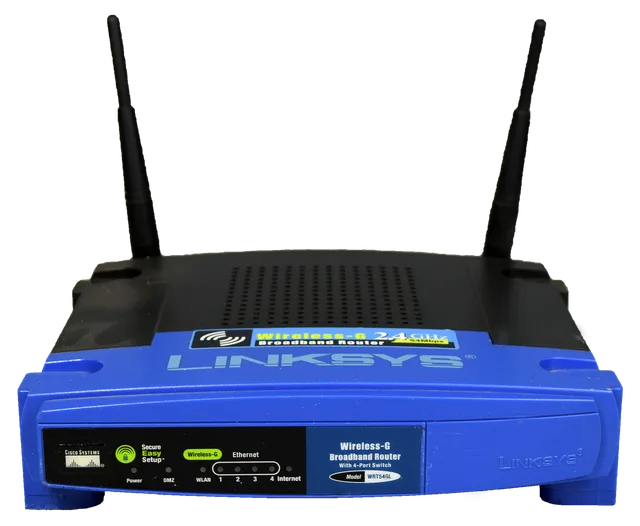
The router candidates both say "secure," but one gives a defined security-update period and automatic-update setting. The other provides no end date. Nina also checks whether any current certification applies to the exact model, rather than accepting a brand-level badge. The label-by-label version of that check is the technology product label checklist.
Router Label Checks
- Defined security-update end date
- Automatic-update setting stated
- Certification applies to exact model
- QR code links to support period
- Label is scoped evidence, not proof
The FCC's U.S. Cyber Trust Mark announcement describes a voluntary label for qualifying wireless consumer IoT products and a linked QR code with information such as support period and whether security updates are automatic. Nina treats such a label as scoped evidence, not proof of coverage, speed, privacy in every respect, or suitability for her floor plan.
Step 5: test the existing network first
Nina moves the router into the open, checks cable condition, compares wired and Wi-Fi performance, and tests the back room at several times. A better location fixes most dropouts. A household that reached the same conclusion with measurements is a home network upgrade case. She postpones the router purchase and keeps the documented security-support end date on her calendar.
That decision frees money for the laptop configuration that meets the display requirement without an uncertain workaround.
Step 6: compare total cost
Model A
- laptop
- $980
- required dock
- $170
- required cables
- $40
- storage upgrade
- $120
- three-year total before repairs
- $1,310
Model B
- laptop
- $1,180
- required dock
- $0
- required cables
- $40
- storage upgrade
- $0
- three-year total before repairs
- $1,220
The fictional prices show the method, not current market values. Model B costs more at checkout but less for Nina's required configuration.
Step 7: read the warranty
Nina compares coverage period, parts, labor, battery treatment, shipping, remedy, and who provides service. She does not treat a paid protection plan as the same thing as the included warranty.
The FTC's consumer warranty guide advises reading the warranty before purchase, checking coverage and remedy, saving the warranty and receipt, and getting spoken promises in writing. Nina downloads the exact warranty and asks the seller to confirm the return treatment for an opened computer.
Final decision record
Nina buys Model B and delays the router. Her record contains:
- exact model and configuration
- task requirements and evidence
- included accessories
- display support and cable plan
- total cost table
- return and warranty documents
- receipt and serial number
- first-week test plan
- router support end date
During the return window she tests both displays, photo import, backup, calls, sleep and wake, battery behavior, Wi-Fi, and accessibility settings. The choice is defensible because it is tied to her tasks and written evidence, not because one product won every benchmark.
Common questions
Why did Nina delay the router?
Placement corrected most of the observed fault, and the current router still had documented security support.
Why did the higher-priced laptop cost less overall?
It did not require the same dock and storage additions for her defined tasks.
Is a certification mark enough to choose a router?
No. It covers a stated program scope. Coverage, compatibility, support, warranty, and privacy still need checks.
Why test during the return window?
It provides time to compare the delivered product with the documented requirements while the seller's stated return option remains available.