Guides
Cloud gaming explained: how game streaming works and what you need to play
How cloud gaming works, which bandwidth, latency, Wi-Fi and device requirements the providers publish, and where streaming falls short of playing on local hardware.
What to take away
- In cloud gaming the game runs on the provider's servers and the video is streamed to your screen. Your device mainly needs to decode video and send controller input.
- Providers publish concrete network requirements. NVIDIA lists 15 Mbps for 720p at 60 fps and 25 Mbps for 1080p at 60 fps, and Xbox lists a minimum of 10 Mbps, with 20 Mbps for the best quality on some devices.
- NVIDIA requires less than 80 ms of network latency to its data center. Both NVIDIA and Xbox recommend a 5 GHz Wi-Fi connection, and NVIDIA also recommends wired Ethernet.
- A subscription and a supported game in a supported region are usually required. Streaming does not work offline.
- Cloud gaming trades hardware cost for network quality. If your connection is unstable, local hardware still wins.
How game streaming works
Cloud gaming moves the heavy work off your device. NVIDIA describes GeForce NOW as a service where games run on NVIDIA's servers with GeForce RTX graphics and the video is streamed to your device. It says nearly any laptop, PC, Mac, TV, Android device, iPhone or iPad can serve as the gaming device.
The loop has four steps:
- You press a button or move a stick on your controller.
- The input travels over the internet to the provider's server.
- The server runs the game and renders the next frames.
- The server sends the video back, and your device decodes and shows it.
Every step adds a little delay, which is why the providers publish latency limits as well as bandwidth numbers. Your device does little more than decode video, which is why a modest laptop or a TV stick can serve as the screen.
Bandwidth: what the providers publish
The speed you need depends on resolution and frame rate. NVIDIA's system requirements page lists these figures for common devices such as Windows PCs, Macs, Android phones and tablets, and smart TVs:
The page adds 40 Mbps for 4K at 60 fps on some TV devices, and higher figures for premium PC modes, such as 55 Mbps for 1440p and 1080p at 240 and 360 fps and 65 Mbps for 5K at 120 fps. NVIDIA's FAQ also lists 100 Mbps for its Cinematic Quality Streaming option.
Xbox sets lower entry figures for its cloud service. Its page states a minimum of 10 Mbps down for a Wi-Fi or LTE connection, notes that some devices may require 20 Mbps for the best quality, and recommends 10 Mbps for mobile devices and 20 Mbps for consoles, PCs and tablets.
These are speeds for the stream alone. Other devices on the same network compete for the same line. The guide on how much internet speed you actually need explains how to measure throughput at the time you play, which matters more than the speed on your bill. The units behind these figures are covered in tech units and connector labels.
Latency and Wi-Fi
Bandwidth gets the attention, but latency decides how a game feels. NVIDIA's requirements page says it requires less than 80 ms of network latency from an NVIDIA data center. It does not state a lower number for fast shooters, so treat 80 ms as the limit for the service to work and expect a lower figure to feel better.
Both providers also give connection advice:
- 5NVIDIA
- 5Xbox
The practical reading is that Wi-Fi in a crowded 2.4 GHz band is the first thing to fix. If your wired test is fine and your wireless test is not, a better router position or a mesh node helps more than a bigger plan. The guides on Wi-Fi, Ethernet and mesh extenders and on home network problems cover that step.
What you need to play
Beyond the network, three things decide whether you can play:
A supported device. NVIDIA lists Windows PCs, Macs, Chromebooks, Linux, supported browsers, Android phones and tablets, iPhones and iPads, several gaming handhelds, NVIDIA Shield TV, select LG and Samsung smart TVs, Android TV and Fire TV sticks. Xbox lists Windows PCs, Apple and Android phones and tablets, Xbox consoles, select LG, Samsung and VIDAA smart TVs, Amazon Fire TV and select Meta Quest headsets.
A controller, depending on the device. NVIDIA's FAQ says an iPhone or iPad needs a gamepad for gameplay, because keyboard and mouse work only for menus and typing, and a Bluetooth gamepad is strongly recommended on Android.
An account and a game you can stream. The two services work differently. Xbox requires an active Game Pass subscription and a supported game in a supported region. NVIDIA's FAQ says you must own or buy a game from a supported store before playing it, though many free-to-play titles are available. It lists stores such as Steam, Epic Games Store, Ubisoft Connect, Battle.net, EA app, GOG and Xbox.
Prices and plan details change often, so check the provider's page before subscribing. The tiers also differ in session length and playtime: NVIDIA's FAQ says Performance and Ultimate members get 100 hours of monthly playtime, with up to 15 unused hours rolling over.
Where cloud gaming falls short
Cloud gaming is not a replacement for a gaming PC in every case. The published requirements point to the main limits.
- It depends on the connection every minute.NVIDIA describes the service as cloud-streamed, and its FAQ does not describe offline play. If the line drops, the session drops.
- Latency has a ceiling you do not control.The 80 ms limit is measured to the provider's data center. NVIDIA operates in North America, Europe, Japan and India, with partners covering other regions, so your distance from a server matters.
- Mobile data can run out quickly.NVIDIA's Android guidance warns that streaming over mobile data can use data quickly and recommends 5 GHz Wi-Fi. The pages reviewed give no data-per-hour figure, so check your own usage.
- The library is limited.Only supported games stream, and on some services only in supported regions.
- Monthly hours or queue limits can apply.Hour limits and priority access vary by plan, as the FAQ shows.
Local hardware has the opposite profile. It costs more upfront, but the game runs without a network, and latency depends on your own components. For the terminology around specs and ports on such hardware, the consumer technology terms guide is a handy reference.
A quick test before you subscribe
- Run a speed test on the exact device and room where you will play, at the time you would play.
- Compare the result with the provider's table for your target resolution. Leave headroom for other devices.
- Check latency against the provider's limit. For NVIDIA the limit is under 80 ms to its data center.
- Move to Ethernet or 5 GHz Wi-Fi and repeat the test. If results improve, fix the network before paying.
- Try the provider's free option if there is one, since NVIDIA's FAQ mentions free users, and test your actual games.
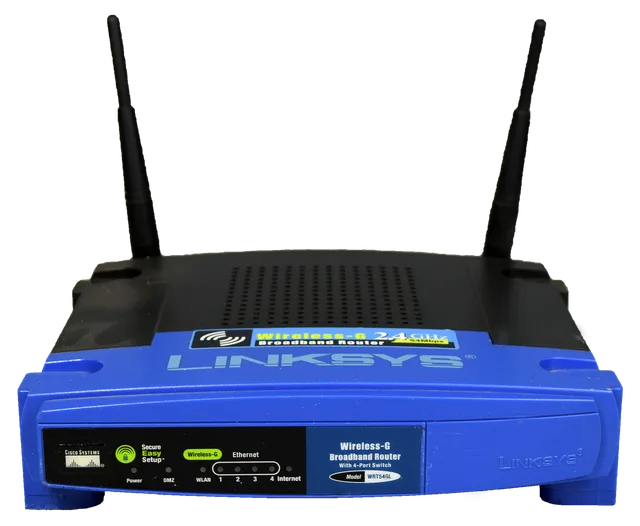
For a router that is configured securely and placed well, see the guide to setting up a home router securely.
Common questions
How much internet do I need for cloud gaming?
NVIDIA lists 15 Mbps for 720p at 60 fps and 25 Mbps for 1080p at 60 fps. Xbox lists a minimum of 10 Mbps, with 20 Mbps for the best quality on some devices.
Can I play cloud games on a weak laptop or phone?
Often yes, because the game runs on the provider's server. NVIDIA says nearly any laptop, PC, Mac, TV, Android device, iPhone or iPad can be the gaming device, subject to the supported device lists.
Do I own the games I play?
It depends on the service. NVIDIA's FAQ says you must own or buy a game from a supported store before playing it, while Xbox cloud play requires a Game Pass subscription and a supported game.
Does cloud gaming work without internet?
No. These services stream from the provider's servers, and neither provider's pages reviewed describe offline play.
Official sources
- [NVIDIA
- GeForce NOW system requirements](https://www.nvidia.com/en-us/geforce-now/system-reqs/)
- [NVIDIA
- GeForce NOW FAQ](https://www.nvidia.com/en-us/geforce-now/faq/)
- [NVIDIA
- GeForce NOW](https://www.nvidia.com/en-us/geforce-now/)
- [Xbox
- Cloud gaming](https://www.xbox.com/en-US/cloud-gaming)