Reviews
Part of Modems, routers, Wi-Fi, and wired links: home networking basics explained
Wi-Fi Ethernet mesh compared: extenders and powerline
Wi-Fi Ethernet mesh compared: how Ethernet, access points, mesh systems, range extenders, and powerline work, what they cost, and where each fits at home.
Wi-Fi Ethernet mesh compared: this guide explains how each home network method works, what it costs, and where it fits.
What to take away
- Ethernet is a wired link; Wi-Fi is a shared local radio system.
- A wired access point extends Wi-Fi using a cable back to the network.
- Mesh coordinates multiple nodes, but wireless backhaul still consumes radio capacity.
- A range extender can fill a modest gap, though placement and retransmission may limit performance.
- Choose from the building, cable options, device locations, and application needs.
There is no universally fastest home-network layout. A small apartment with one central access point differs from a long masonry house, and a video editor has different needs from a thermostat. The layers a layout has to serve, from the provider connection to local addresses, are set out in home networking basics.
Comparison table
Home network methods compared
Ethernet
- Backhaul
- cable
- Strength
- stable low-latency
- Limitation
- needs cable and ports
Wi-Fi AP
- Backhaul
- wired uplink
- Strength
- simple coverage
- Limitation
- one location may not cover
Mesh
- Backhaul
- radio or mixed
- Strength
- coordinated roaming
- Limitation
- shares spectrum
Extender
- Backhaul
- radio
- Strength
- low-cost gap filling
- Limitation
- placement and repeated traffic
Typical 2027 examples
- Direct Ethernet
- Cat 6a or Cat 8 patch runs, TP-Link TL-SG105 5-port switch, Netgear GS308 8-port switch
- Single Wi-Fi access point
- TP-Link Archer AX55, Asus RT-AX88U Pro
- Wired access points
- Ubiquiti UniFi U6 Pro, TP-Link Omada EAP670
- Wireless mesh
- TP-Link Deco XE75 (2-pack), Amazon Eero 6+, Netgear Orbi RBK763S
- Range extender
- TP-Link RE650, Netgear EAX15
- Powerline
- TP-Link AV2000, Netgear PLP2000
Backhaul
- Direct Ethernet
- Wired
- Single Wi-Fi access point
- None (radio only)
- Wired access points
- Ethernet
- Wireless mesh
- Wireless or wired
- Range extender
- Wireless
- Powerline
- Electrical wiring
Strongest at
- Direct Ethernet
- Fixed high-throughput gear
- Single Wi-Fi access point
- Compact homes with central placement
- Wired access points
- Large homes with cable
- Wireless mesh
- Coordinated coverage
- Range extender
- One difficult room
- Powerline
- Rooms without cable
Main limit
- Direct Ethernet
- Installation cost and cable runs
- Single Wi-Fi access point
- Shared airtime and wall loss
- Wired access points
- Requires cabling and a controller
- Wireless mesh
- Wireless backhaul splits radio capacity
- Range extender
- Retransmission and placement
- Powerline
- Circuit and noise dependent
The table's "2027" label refers to the comparison time frame, not to a product-generation requirement. The examples are common current and recent models; prices are approximate US street prices and vary by retailer and date.
Direct Ethernet
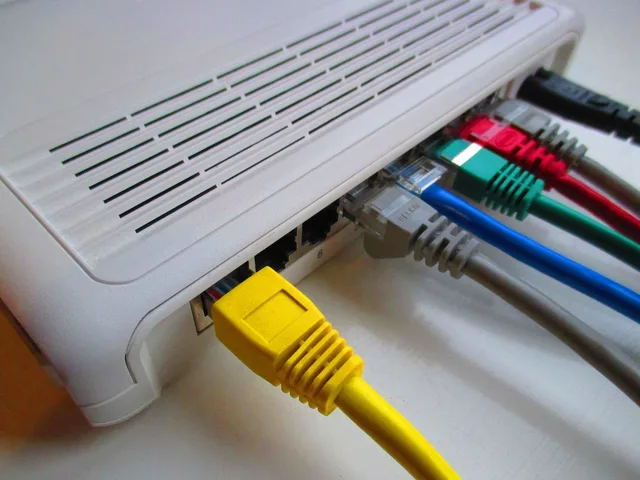
Ethernet connects network interfaces through cable and switches. It suits fixed computers, televisions, consoles, access points, and storage. The Ethernet technical overview describes a family of wired networking technologies that carries data in frames across physical links. In practice, the slowest port, cable, or negotiated link limits that segment.
Cat 6a handles 10 Gbps over runs up to about 100 meters. Cat 8 is shorter, typically 30 meters, and suits patch runs rather than wall wiring. A TP-Link TL-SG105 five-port gigabit switch sells for about $20; the Netgear GS308 eight-port version runs about $30.
Wiring has installation cost but creates a predictable backbone. It also reduces the number of high-demand stationary devices competing for Wi-Fi airtime. A switch can add local wired ports without creating another routed network.
Choose a switch whose port speeds match the intended devices and uplink, then use cables rated and terminated for the run. Wall wiring should follow electrical, fire, and building requirements. Patch cables should avoid tight bends, crushed doors, trip paths, and damaged locking tabs.
Test the negotiated link at both ends. A damaged cable can fall back to a lower rate and still pass traffic. That makes the problem look like provider congestion.
Power over Ethernet can carry network data and electrical power to compatible access points or cameras. But the switch, injector, cable, and device must support the same standard and required wattage. Never assume a passive power adapter is safe because the plug fits.
A single Wi-Fi access point
One central access point is the simplest wireless plan. Wi-Fi belongs to the IEEE 802.11 family and allows compatible devices to exchange data over local radio links. The Wi-Fi overview covers access points, stations, bands, range, interference, and security.
Wi-Fi 7 gear is the newest baseline, but many current routers still use Wi-Fi 6 or 6E. The TP-Link Archer AX55 is a Wi-Fi 6 router at about $80; the Asus RT-AX88U Pro adds 2.5 Gbps ports and runs about $250. Wi-Fi 7 models with 6 GHz radios cost more.
Wireless capacity is shared. A distant or older device can use more airtime to move the same data. Walls, floors, neighboring networks, microwaves, Bluetooth activity, and device antennas affect results. What those client radios do differently is set out in cellular, Wi-Fi, Bluetooth, NFC, and GPS compared.
Wired access points
Multiple access points connected through Ethernet combine broad radio coverage with wired backhaul. This often gives the best controllable result in a larger home when cabling is possible.
The Ubiquiti UniFi U6 Pro is a ceiling access point at about $160, managed by a UniFi controller. The TP-Link Omada EAP670 is a Wi-Fi 6 unit at about $120 and works with the Omada controller. Both need a PoE switch or injector.
Use coordinated names, security, channel plans, and power settings according to the controller or manufacturer. Getting those settings right on the primary unit first is covered in how to set up a home router securely. Too many access points at high power can create interference and sticky client behavior.
Wireless mesh
A mesh kit coordinates a main unit and satellite nodes. Some systems choose bands and roaming behavior automatically. A node with wireless backhaul must communicate both with client devices and the rest of the mesh, unless it has a dedicated radio or wired connection.
The TP-Link Deco XE75 two-pack costs about $200 and adds a 6 GHz backhaul radio. The Amazon Eero 6+ three-pack runs about $200 and suits small homes. The Netgear Orbi RBK763S three-pack runs about $400 and uses a dedicated backhaul band.
Place nodes where they still receive a strong upstream link, not inside the dead zone they are meant to fix. More nodes are not always better.
Range extenders
A range extender listens to an existing Wi-Fi network and retransmits it. It can help across one difficult doorway or room, but cannot invent upstream capacity. Poor placement repeats a poor signal.
The TP-Link RE650 costs about $60 and offers a gigabit Ethernet port. The Netgear EAX15 is a Wi-Fi 6 wall-plug unit at about $70. Both halve throughput on the repeated link unless they use a separate radio.
Check whether the extender creates another network name, supports current encryption, receives updates, and permits Ethernet backhaul. Test roaming because devices may remain attached to a weaker radio.
Powerline networking
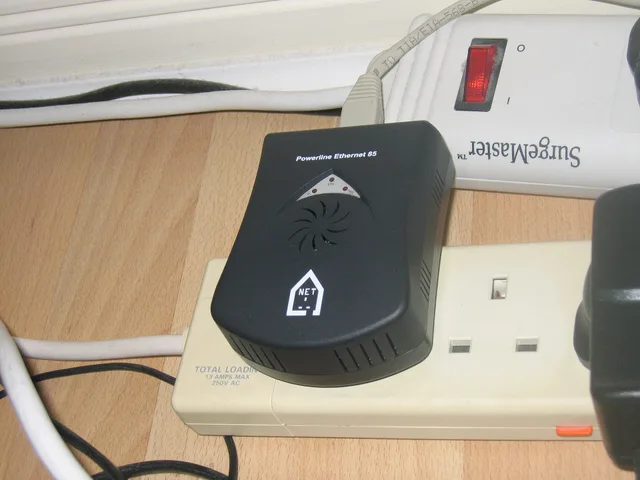
Powerline adapters send network data over electrical wiring. Results depend on circuits, panels, noise, surge equipment, and building wiring. Two outlets in the same room can behave differently.
The TP-Link AV2000 kit sells for about $80 and rates up to 2000 Mbps, a figure you will rarely see in practice. The Netgear PLP2000 is a similar kit at about $90. Use a returnable kit and test at the real outlets under normal appliance use. Do not place adapters where electrical or fire guidance forbids them.
Choose by application
- Use direct Ethernet for fixed high-throughput or latency-sensitive equipment.
- Use a central access point for a compact home with good placement.
- Use wired access points when the building is large and cable is practical.
- Use mesh when coordinated wireless coverage matters and a wired backbone is limited.
- Use an extender for a narrow coverage gap after measuring placement.
- Treat powerline as a site-specific experiment, not a promised speed.
Test fairly
Use the same device, server, time window, and application. Record local link rate, internet speed, latency, packet loss, room, and node. Keeping those figures comparable between reviews is one item in the home network maintenance and security checklist. A local file transfer tests the home network; an internet test includes provider and remote paths.
Common questions
Is mesh always faster than a router?
No. Mesh primarily improves coverage and coordination. Wireless backhaul, node placement, interference, and client support can reduce speed.
Does Ethernet eliminate internet latency?
No. It can reduce local radio delay and variability, but provider and remote-network latency remain.
Can I mix access-point brands?
Basic networking may work, but coordinated roaming, management, and security features can differ. Verify compatibility and support.
Where should an extender go?
Place it where the original network is still strong enough to carry useful traffic, then test the target area. The dead zone itself is often too far away.