Features
Part of Smart home systems under review: the good, the weak and the verdict
Rolling out a smart home room by room without losing manual control
Smart home rollout case showing how a fictional household tested thermostat, lighting, and voice controls while protecting privacy and preserving manual fallback.
What to take away
- The fictional household chose three outcomes and rejected features with no clear benefit.
- They tested thermostat compatibility, Wi-Fi coverage, account ownership, and manual control before installation.
- Voice control was optional, with clear microphone, history, and purchasing decisions.
- A two-week single-room trial exposed confusing names and an unreliable occupancy rule.
- The final system kept wall controls, a physical key, written recovery information, and a review date.
This fictional case demonstrates a planning method. It does not recommend a particular brand, promise energy savings, or replace electrical, HVAC, security, or accessibility advice. The planning method behind it is set out in the smart home systems guide.
Household goals
Rosa and Ben wanted to reduce unnecessary heating, make a dark hallway easier to use at night, and give Ben's father Luis a simple way to control a lamp from his chair. They did not want indoor cameras, automatic door unlocking, or a subscription.
They wrote three acceptance statements:
Household acceptance statements
- Wall temperature change without a phone
- Dim hall light after night motion
- Switch always responds to hall light
- Luis uses large wireless button
- Voice is optional second method
Compatibility before purchase
They photographed the existing thermostat wiring only after switching off power through the correct procedure and booked an HVAC technician to confirm equipment compatibility. They checked whether the proposed thermostat required a common wire, which phone versions supported its app, and what happened without internet service.
The ENERGY STAR page on smart thermostats advises buyers to match the thermostat to the heating and cooling system and keep Wi-Fi models reasonably close to the router. It also describes remote control, geofencing, preference learning, and over-the-air updates as possible features, not guarantees for every model.
The household selected schedule control and remote status but left geofencing off during the trial. They wanted to learn the system's basic behavior before adding location data and another automation condition.
Accounts and roles
Rosa created the household account with a unique password and multi-factor authentication. Ben received an administrator invitation. Luis received routine control without permission to add devices or make purchases. Recovery codes went into the household's secure records rather than Rosa's phone case.
Household account roles
Rosa
- Account
- Creates
- Devices
- Full
- Purchases
- Yes
- Recovery codes
- Secure records
Ben
- Account
- Invited
- Devices
- Add
- Purchases
- Yes
- Recovery codes
- Secure records
Luis
- Account
- Routine
- Devices
- No add
- Purchases
- No
- Recovery codes
- Not holder
They recorded the thermostat model, lamp module, motion sensor, wireless button, controller, network, battery types, setup codes, warranties, and reset instructions.
The first-room trial
They installed only the hall sensor, lamp control, and Luis's button. Starting with one room and one outcome is the shape of how to set up a smart home. The first automation used motion after 10 p.m. to turn the light on at 20 percent for three minutes.
First-room trial fixes
- Install hall sensor, lamp control, Luis button
- Set motion after 10 p.m. to 20 percent
- Rename device Front hall lamp
- Remove duplicate evening routine
- Move sensor per installation guidance
During the first week they found three faults:
- "Hall" and "hallway" produced inconsistent voice results.
- A second evening routine immediately raised the light from 20 to 80 percent.
- The motion sensor missed movement when mounted behind a coat rack.
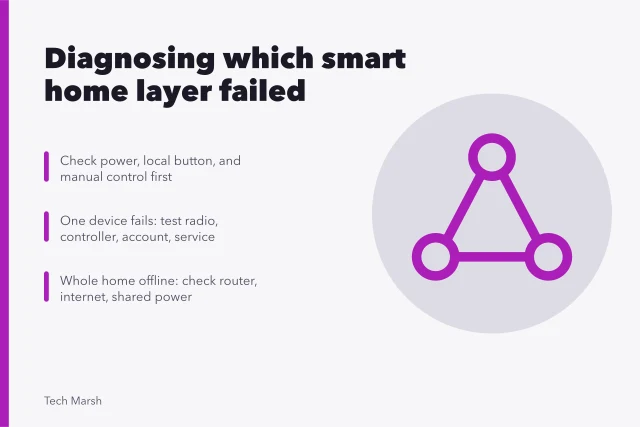
They renamed the device "Front hall lamp," removed the duplicate routine, and moved the sensor according to its installation guidance. The physical wall switch and wireless button remained usable throughout. Tracing faults like those means learning to diagnose one failed layer at a time.
Voice without default exposure
Luis liked voice control for the lamp but did not want purchasing or contact access. The family reviewed when the speaker listened, its physical microphone control, stored voice history, connected services, and notification behavior.
The ICO's consumer advice on smart products says check what personal information a device collects before buying. Pay attention during setup instead of agreeing to every prompt, and use privacy controls to trim app permissions to what the product needs.
Permissions include microphone, location, contacts, and photos. The household disabled voice purchasing and removed calendar and contacts permissions.
They placed the speaker in the living room rather than a bedroom and showed every resident how to mute it. Luis's large button stayed the primary control because it remained predictable during conversation and television noise. Keeping the method that already works for the person is a principle in the accessible technology guide.
Thermostat rollout
After the room trial, the technician installed the thermostat. The family began with a visible schedule and wall control. They compared comfort and system runtime over several weeks without claiming that one month's bill proved savings.
They tested:
- wall adjustment with phones switched off;
- schedule recovery after a brief power loss;
- app control on both administrators' phones;
- notification behavior without exposing temperature or occupancy on lock screens;
- manual HVAC operation according to manufacturer instructions;
- router outage behavior without interrupting heating safety controls.
They kept the previous compatible thermostat labeled and stored only after confirming the installer's advice and return conditions.
Final decision
The household kept the thermostat, hall automation, button, and limited voice control. They did not add cameras, a smart lock, or geofencing because those features did not solve a current problem.
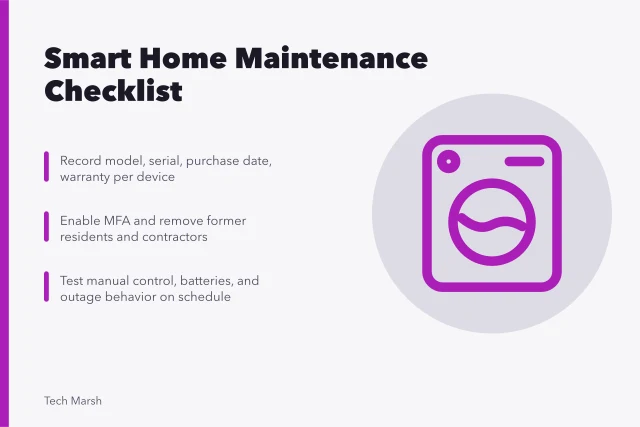
Their maintenance note assigned battery checks to Ben, account review to Rosa, and comfort feedback to all three residents. A fuller version of that note is the smart home maintenance checklist. They scheduled a review after the next heating season and after major router or platform changes.
Lessons from the case
- A small trial makes naming, placement, and conflicting routines visible.
- Manual controls keep residents independent during outages and setup mistakes.
- Optional sensing should have a stated benefit and household agreement.
- Energy conclusions need appropriate data and context.
- Buying fewer devices can produce a clearer and more maintainable system.
Common questions
Is this a real household?
No. The people and scenario are fictional.
Why did they delay geofencing?
They wanted to validate the thermostat and schedule before adding location data and another failure point.
Did they prove energy savings?
No. A short household trial cannot isolate weather, rates, occupancy, comfort choices, and equipment performance.
Why keep the wireless button when voice worked?
It provided a quiet, predictable control that did not depend on speech recognition or microphone use.