Guides
Plan a Reliable Smart Home and Fix It When Devices Go Offline
Map devices, hubs and accounts before buying, pick a control platform, set limits on automations and household access, then work through faults layer by layer.
What to take away
- Start from a household problem and a manual fallback. A lamp that also works from its wall switch is a safer first purchase than a bundle you cannot operate by hand.
- A smart home has layersdevice, radio, controller, app, account, cloud service and automation. Most faults sit in one layer, so diagnose in order instead of resetting everything.
- Matter is an interoperability standard built on IP. The Connectivity Standards Alliance says its first release runs on Wi-Fi and Thread, with Bluetooth Low Energy used for commissioning.
- Apple, Google and Amazon each document their own hub rules. Apple needs a home hub for remote access and automations, Google needs a Matter-enabled hub and IPv6 on the home network, and Alexa uses an Echo device as the Matter controller.
- Thread devices need a Thread border router, which some speakers, displays, streamers and mesh routers include.
- A support end date acts as a "use by" date, says the UK National Cyber Security Centre. Record it for every device you buy.
Map the system before you buy
Write one sentence per outcome you want: porch light on at sunset, heating lower when nobody is home, an alert when water reaches a floor sensor. Then list every part each outcome needs.
| Layer | Examples | What to plan for |
|---|---|---|
| Device | Bulb, lock, sensor, thermostat, plug | Dead battery, discontinued support |
| Radio | Wi-Fi, Thread, Bluetooth, Zigbee, Z-Wave | Weak signal, changed Wi-Fi password |
| Controller | Hub, speaker, display, streamer, bridge | Controller offline or replaced |
| Interface | App, voice, wall switch | Lost phone, locked account |
| Service | Vendor cloud, notifications, video storage | Outage, subscription ends |
| Automation | Triggers, conditions, actions | Conflicting routines, sensor gaps |
The map exposes hidden dependencies. A battery sensor may need a bridge. A camera may need a paid plan to keep history. A lock may open with a key during an outage but lose remote alerts. The radio a device uses affects where it works and what it needs. The differences are explained in smart home protocols compared.
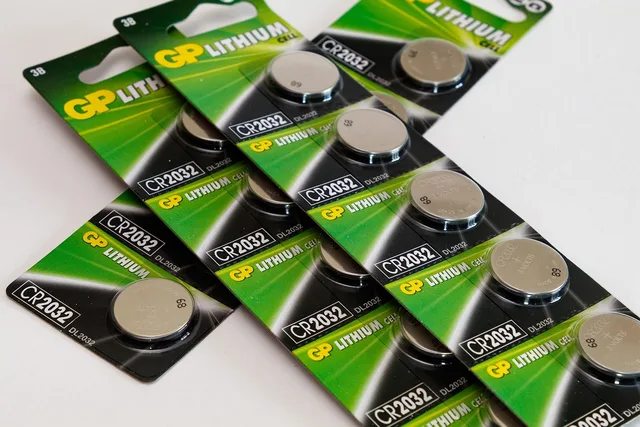
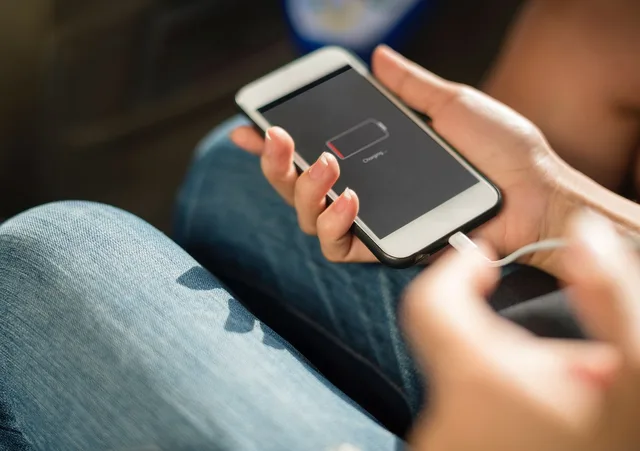
Editorial suggestion: keep a one-page record per device with model, room, account owner, purchase date, support end date, battery type and the reset method. Store it somewhere that does not depend on the smart home working. For batteries, see batteries and charging.
Choose a control model and platform
Local control means commands travel inside the home. Cloud control means they pass through a vendor's servers, which enables remote access and off-site features but adds a dependency. Many products use both. Ask which actions still work without internet, which need an account, and which stop if a subscription lapses. Then test them by switching the router off.
Matter aims to reduce lock-in. The Connectivity Standards Alliance describes it as one protocol to connect compatible devices and systems, and says devices from multiple brands work natively together. Google's developer primer adds that it runs over IPv6, supports multiple ecosystem administrators (multi-admin) on one device, and allows Zigbee, Z-Wave or Bluetooth Mesh devices to appear through a bridge.
A Matter logo does not guarantee every feature. Platforms support device types and features at their own pace, so check the platform's list before buying a niche product. Each platform has its own requirements:
| Platform | Hub or controller | Notes from the vendor's own documentation |
|---|---|---|
| Apple Home | HomePod, HomePod mini or Apple TV as home hub | Hub needed for remote access, sharing, automations. Thread accessories need a Thread-enabled hub |
| Google Home | A Matter-enabled hub on the home Wi-Fi | Thread devices also need a Thread border router. IPv6 must be enabled on the home network |
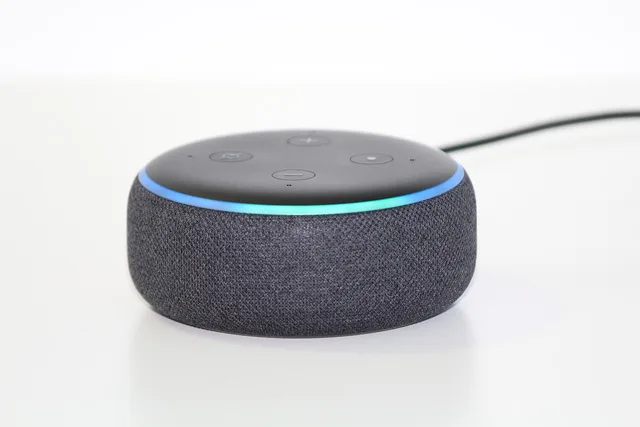
| Alexa | An Echo device as Matter controller | Some Echo and eero devices include a Thread border router |
Apple. Apple's home hub page says HomePod and HomePod mini become hubs automatically during setup, and an Apple TV becomes one when you add it to a room in the Home app. The hub must be in your home, on your home Wi-Fi and powered on. Only home owners can add one. To check status, open Home, then More, Home Settings, Home Hubs & Bridges. Apple's Matter page says iOS 18 or later can add Matter accessories without a hub but still recommends one for the best experience.
Google. Google's Matter preparation page says a Matter-enabled hub on your wireless network lets you control devices locally and remotely. It warns that without IPv6 enabled, setup may appear to succeed but control fails later.
Amazon. Amazon's Matter documentation says the Echo device is the Matter administrator that connects devices to Alexa locally, and that multi-admin lets a device join several platforms including Alexa.
If a household mixes platforms, multi-admin means a lamp can belong to more than one. Apple notes that Matter accessories previously paired elsewhere can be added to Apple Home, and that pairing keys sync through iCloud Keychain.
Device roles and Thread
Sensors report conditions. Actuators change something physical, such as a lock, valve or outlet. Controllers coordinate. Bridges translate between networks. Interfaces let people see and command. One product can play several roles, and a speaker may be interface, controller and border router at once.
Thread is a low-power mesh network used by many battery sensors and locks. It needs a Thread border router to link it to your Wi-Fi and Ethernet network. Apple's pages name Apple TV 4K (3rd generation, Wi-Fi + Ethernet) and HomePod mini as Thread-enabled hubs, and Apple's Matter pages also name HomePod (2nd generation). Amazon says some Echo and eero devices have a Thread border router built in. Google's page lists several Nest displays, Nest Wifi Pro and Google TV Streamer as Wi-Fi and Thread hubs. Hardware lists change, so confirm against the vendor page when you buy.
Apple's Thread alert page gives a worked list of fixes for "Thread Border Router Required": use a Thread-enabled hub, restart the hub, switch an Ethernet-connected Apple TV to Wi-Fi on the same network as the phone, check for Wi-Fi interference, reset network settings on the device showing the error, and follow Apple's guidance if a VPN is in use.
Automations and household permissions
An automation has a trigger, optional conditions, an action and an exit. "At sunset, if someone is home, turn on the porch light" is easy to inspect. Name each automation for its outcome. Avoid two routines that command the same device in opposite ways.
Test the edges: power loss, a dead sensor battery, a manual override, a daylight-saving change, a router restart. Keep safety-critical functions such as heating, locks and water shut-off valves operable by hand. Follow the manufacturer's installation rules for anything connected to mains or plumbing, and ask a qualified installer where required.
Set permissions before activation:
- Give each adult their own account instead of sharing one login.
- Limit who can see cameras, open locks, change automations or invite members.
- Agree on microphones, cameras and occupancy sensing, including what visitors and workers will be told.
- Put a mute, cover or off control where residents can reach it.
The U.S. National Institute of Standards and Technology interviewed 40 smart home users for NISTIR 8330. It found that users' understanding of how smart home data is collected and used was varied and often unclear, and that many accepted risks for the benefits. That is a reason to settle these decisions on purpose rather than by default.
Find the failing layer
"Offline" is a symptom. The order below is the desk's own method (editorial suggestion), built from the layers above. Work from the device outward and change one thing at a time.
- Safety.For a lock, heater, valve or garage door, use the manufacturer's manual procedure. Do not power-cycle anything that could cause harm, and call qualified service for electrical, gas, heating or plumbing faults.
- Power and local control.Check mains, batteries, wall switch and the device's own button. If the button works but the app says offline, the fault is above the device.
- Scope.One device points to the device, its radio or its pairing. One brand points to that brand's bridge, app or account. Everything at once points to the router, the internet, the controller or shared power.
- Network.Test another device on the same Wi-Fi with mobile data off. If it fails, move to home network problems and fixes. If you changed the router or Wi-Fi password recently, devices may need rejoining. Router changes are covered in setting up a home router securely.
- Controller.Restart the hub, speaker or border router, one layer at a time: modem, router, controller, bridges, then devices. Rebooting everything together hides which part was at fault.
- Account and service.Check you are in the right home, the role has permission, and any subscription is active. Check the vendor's status page.
- Automation.If direct control works but a routine does not, build a one-trigger, one-action test, then add conditions back one by one.
- Reset last.Before a factory reset, save the model, pairing code, automation logic and room names. A reset can break ownership binding, so remove the device from its old account first when it was second-hand.
For failed pairing, put the device in its documented pairing mode, keep the phone on the intended network with Bluetooth on, and enter the setup code by hand if the camera cannot read it. Do not post photos of setup codes.
If you suspect an account was taken over, secure the email account from a clean device, review members and sessions, remove unknown integrations and change door codes. The consumer device security guide covers recovery.
Maintain and retire devices
Install supported updates and review the device list every few months. Remove access nobody uses, test alerts and replace weak batteries. The NCSC advises turning on automatic updates where offered and turning off remote access you do not need.
Treat the support end date as a "use by" date, the NCSC says, and avoid devices that are no longer supported. Under UK law from 29 April 2024, smart devices must meet basic security requirements, including stating the product support end date (the NCSC page below says so, and the GOV.UK product security regime guidance says manufacturers must publish the minimum security update period with an end date). That is a UK rule, so in other countries check the manufacturer's site.
Before selling or giving away a device, remove it from accounts and automations and perform a factory reset, as the NCSC advises. For devices at the end of life, use a safe recycling route.
Sources
- [Connectivity Standards AllianceMatter](https://csa-iot.org/all-solutions/matter/)
- [Google Home DevelopersMatter primer](https://developers.home.google.com/matter/primer)
- [Apple SupportSet up your HomePod, HomePod mini, or Apple TV as a home hub](https://support.apple.com/en-us/102557)
- [Apple SupportPair and manage your Matter accessories](https://support.apple.com/en-us/102135)
- [Apple SupportThread Border Router Required alert](https://support.apple.com/en-us/102078)
- Google Home HelpPrepare your smart home for Matter
- [Amazon Developer DocsConnect your device to Alexa with Matter](https://developer.amazon.com/en-US/docs/alexa/smarthome/matter-support.html)
- [NISTNISTIR 8330, User Perceptions of Smart Home Privacy and Security](https://csrc.nist.gov/pubs/ir/8330/final)
- [UK NCSCSmart devices, using them safely in your home](https://www.ncsc.gov.uk/guidance/smart-devices-in-the-home)
- [GOV.UKThe UK product security regime](https://www.gov.uk/government/publications/the-uk-product-security-and-telecommunications-infrastructure-product-security-regime)
In this guide
- Matter, Thread, Wi-Fi, and Bluetooth: smart home protocols comparedSmart home protocols compared by role, power use, range, controllers, internet dependence, commissioning, and compatibility across Matter, Thread, Wi-Fi, and more.