Features
How WEA emergency alerts and accessibility features work on US phones
WEA emergency alerts accessibility explained: how US phones deliver FCC-mandated vibration, text, and audio warnings for deaf and blind users.
What to take away
- WEA emergency alerts accessibility means the Wireless Emergency Alerts system must reach deaf and blind users through vibration, text, and audio.
- The FCC requires carriers and phone makers to support accessible formats, but you still have to turn some settings on.
- Compatible phones can speak alerts aloud, show large text, and vibrate in patterns you can feel.
- NOAA weather data feeds many WEA messages, so local forecasts and warnings reach your lock screen.
- If alerts fail you, you can file a complaint at consumercomplaints.fcc.gov or call 1-888-225-5322.
What Wireless Emergency Alerts are and who sends them
Wireless Emergency Alerts are short messages pushed to your phone by authorized government agencies. They appear as a distinct tone, vibration, and text banner, not as a regular text from a friend. The system is built to reach every compatible phone in a targeted area, whether or not you have a news app installed.
Three WEA Alert Classes
Presidential
- Can you opt out?
- No
- What it covers
- National alerts
- Who sends it
- President
Imminent threat
- Can you opt out?
- No
- What it covers
- Extreme weather, shooters
- Who sends it
- NWS, FEMA, local
AMBER / missing person
- Can you opt out?
- Yes
- What it covers
- Missing-person cases
- Who sends it
- NCMEC, agencies
Only a few senders can use WEA. They include the National Weather Service, FEMA, state and local emergency management, and the National Center for Missing and Exploited Children. Presidents can also issue national alerts. Each sender chooses a target area, usually by county or a custom polygon.
There are three alert classes. Presidential alerts cannot be turned off. Imminent threat alerts cover extreme weather, active shooters, and other immediate dangers. AMBER alerts and similar missing-person messages are the third class, and you can opt out of those on most phones.
WEA does not use your phone number. It broadcasts to all phones connected to a cell tower in the target area. That design is why alerts arrive fast, and why they can feel blunt if you are near a border or on a fringe tower.
FCC requirements for WEA accessibility
The FCC sets rules for how WEA must work, including accessibility. Under the Twenty-First Century Communications and Video Accessibility Act, the FCC runs an accessibility program that covers phones, alerting, and other communications technology. The program's coverage is set out on the FCC accessibility program page.
The rules require that WEA messages be accessible to people with disabilities. In practice, that means carriers and handset makers must support text display, vibration, and audio output for alerts. The FCC also requires hearing aid compatibility. Under its rules, handsets are rated under ANSI C63.19, from M3 or T3 as the minimum up to M4 or T4.
Carriers must let customers opt out of certain alert classes, but not presidential alerts. They must also make alert settings reachable without sight, usually through screen readers and voiced menus. The FCC publishes plain-language help through its consumer guides.
State and local agencies that send WEA must follow the same federal accessibility expectations. A county emergency manager cannot send a text-only alert that ignores vibration or audio needs if the phone supports those formats. The FCC can act on complaints when those expectations are not met.
Vibration, text, and audio settings for deaf and blind users
Accessible alerting depends on three output channels: vibration, text, and audio. Most US phones let you tune each one. The exact menu names differ by brand, but the logic is similar across iPhone and Android.
Three Accessible Alert Channels
Vibration
- Who it helps
- Deaf, hard of hearing
- What to tune
- Custom pattern, camera flash
- Extra output
- Strong haptic motor
Text
- Who it helps
- Deaf, low vision
- What to tune
- Large, bold, high contrast
- Extra output
- VoiceOver, TalkBack
Audio
- Who it helps
- Blind, low vision
- What to tune
- Full volume in silent mode
- Extra output
- Hearing aid, Bluetooth
Vibration alert settings matter most for deaf and hard-of-hearing users. You can usually choose a distinct pattern for emergency alerts, separate from regular notifications. Some phones also flash the camera light. If your phone has a strong haptic motor, a long buzz is easier to feel through a pocket or bag.
Text settings help users who are deaf, hard of hearing, or have low vision. You can enlarge alert text, enable bold text, and turn on high contrast. Screen readers like VoiceOver and TalkBack can speak the alert aloud when it arrives. That gives blind users a spoken version of the same warning.
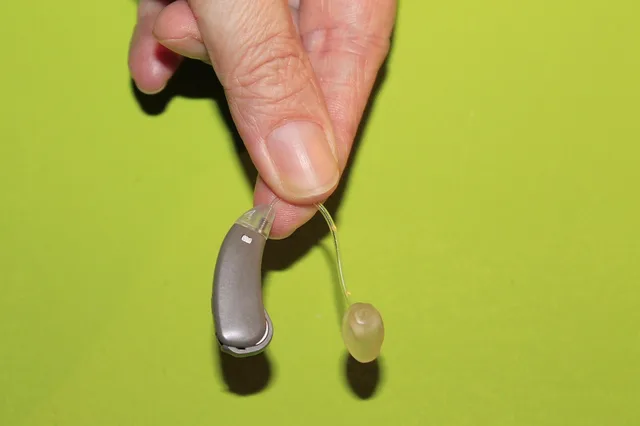
Audio settings help blind and low-vision users and anyone who cannot look at the screen. Alerts can play at full volume even in silent mode, depending on your phone and carrier. You can also route alert audio to a hearing aid. iPhone works with hearing aids that carry the Made for iPhone label.
Android 10 and later can stream to ASHA hearing aids on compatible models, and newer phones add LE Audio.
Deaf and blind user alert options often combine these channels. A deafblind user might rely on a strong vibration pattern plus a braille display.
iPhone pairs with Bluetooth braille displays such as the HumanWare Brailliant, the Freedom Scientific Focus Blue, and the Orbit Reader 20 through VoiceOver. Android pairs with braille displays through the TalkBack braille keyboard. Not every phone supports every combination, so test your setup before an emergency.
- Turn on emergency alert tones and vibration in your phone's notification settings.
- Set a distinct vibration pattern for WEA if your phone allows it.
- Enable your screen reader and confirm it speaks alert banners aloud.
- Increase alert text size and turn on bold or high contrast.
- Check that alert audio plays even when the phone is muted.
- Pair a hearing aid, cochlear implant, or braille display if you use one.
Device and carrier support: iPhone, Pixel, Galaxy, and carrier pages
Not every phone handles every accessible format. Support depends on the handset, the operating system version, and the carrier.
An iPhone 8 or newer on iOS 15 or later speaks alerts through VoiceOver, shows bold and large text, and flashes the camera light for alerts.
A Google Pixel 4a or newer on Android 12 or later and a Samsung Galaxy S20 or newer on One UI 4 or later do the same through TalkBack. Older or budget phones may only do a basic tone and text.
Carriers must deliver WEA messages, but they have some freedom in how alerts present on their branded phones. A carrier can preload its own alert app or adjust default settings. That is why two phones on different networks can behave differently in the same county.
AT&T, Verizon and T-Mobile each publish a Wireless Emergency Alerts page on their support sites. Search the carrier name plus wireless emergency alerts and open the support article. Those pages list which alert classes the carrier lets you turn off and where the settings live.
If a feature is missing, ask the carrier in writing. That creates a record you can use later.
For a broader look at how phones handle connections and settings, see our guide on how smartphone connections compared. It explains how cellular, Wi-Fi, and Bluetooth interact, which helps when you route alert audio to a headset. Our smartphone basics explainer offers a plain-language walkthrough of phone menus and settings.
Testing alerts and confirming settings work
You do not have to wait for a real emergency to check your setup. FEMA and the FCC run periodic nationwide tests, usually through the Integrated Public Alert and Warning System. During a test, your phone should vibrate, show a banner, and play the alert tone.
Here is how to run your own check between official tests.
Test Your Alert Setup
- Send a WEA-style test alert
- Lock phone, pocket it, feel vibration
- Turn on screen reader, hear text
- Check text size without zooming
- Repeat with hearing aid or braille display
- Open the alert menu. On iPhone, use Settings > Notifications and scroll to Government Alerts. On Pixel and stock Android phones, use Settings > Safety & emergency > Wireless emergency alerts. On Samsung Galaxy, use Settings > Safety and emergency > Wireless Emergency Alerts.
- Turn alerts on. On iPhone, turn on Emergency Alerts and AMBER Alerts. On Android, turn on Extreme threats, Severe threats, and AMBER alerts.
- Set vibration. On iPhone, open Settings > Sounds & Haptics and turn on Play Haptics in Ring Mode and Play Haptics in Silent Mode. On Android, open Settings > Sound & vibration > Vibration & haptics.
- Check spoken output. On iPhone, open Settings > Accessibility > VoiceOver. On Android, open Settings > Accessibility > TalkBack. Send yourself a text message and confirm the screen reader reads it aloud.
- Check text and audio. On iPhone, open Settings > Accessibility > Display & Text Size and turn on Bold Text. On Android, open Settings > Accessibility > Display size and text. Mute the phone and play an alert tone to confirm sound still reaches your hearing aid.
If any step fails, adjust your settings and test again. Keep notes on what you changed. That makes it easier to fix the problem later or explain it to your carrier.
Our smartphone upkeep checklist includes steps for keeping alert permissions and system updates current. Outdated software can break alert delivery or hide settings you need.
NOAA weather data behind alert content
Many WEA messages start as NOAA weather alert data. The National Weather Service issues watches, warnings, and advisories, and those feed into the alert pipeline. When a tornado warning is issued for your county, the WEA message often mirrors the NOAA text.
From NOAA Warning to WEA
- NWS issues watch, warning, advisory
- NOAA data feeds alert pipeline
- WEA sends short county message
- Full shelter instructions stay in NOAA product
- Backup NOAA app or radio fills gaps
NOAA's public weather resources explain how forecasts and warnings are produced. You can browse them on the NOAA weather page. The agency also offers tools and resources for weather and emergency alerts, including maps and data feeds.
Because WEA messages are short, they may not include the full NOAA text. A tornado warning alert might say only that a warning is in effect for your area. The detailed instructions, such as taking shelter, often appear in the full NOAA product.
That is why it helps to have a NOAA weather app or radio as a backup. If you are deaf or blind, look for apps with accessible interfaces and spoken or braille output. Combine WEA with a NOAA source for the fullest picture.
Complaints and accessibility gaps that remain
Accessible alerting has improved, but gaps remain. Some rural towers still deliver alerts late. Some budget phones lack custom vibration or spoken alerts. And some local agencies send messages that are hard to view on a small screen.
If an alert fails you, you can file a complaint with the FCC. File online at consumercomplaints.fcc.gov, or call 1-888-225-5322. The line is free, and TTY users can call 1-888-835-5322. Describe what happened, including the date, your location, and your phone model. The FCC uses complaints to spot patterns and push carriers to fix problems.
The FCC accessibility program also takes feedback on accessible communications technology. If a phone or carrier feature does not work with your screen reader or hearing aid, report it. The FCC can investigate and, in some cases, require fixes.
You can also contact your carrier and your state emergency management agency. Carriers must respond to accessibility complaints under federal rules. State agencies control many local alert decisions, so they can adjust message templates and formats.
For help with phone settings that affect alerts, see our article on set up accessibility features. It covers the order to change settings so you do not break features that already work.
If something stops working after an update, our guide to accessible technology walks through common causes and fixes. Alert delivery can be affected by battery savers, permission resets, and carrier app updates.