Guides
Roku, Fire TV or Apple TV for an Older TV: Which Streaming Device Fits
Check your older TV's HDMI port, resolution and HDCP support first, then compare Roku, Fire TV and Apple TV on remotes, audio, accessibility settings and cost.
What to take away
- The streaming devices covered here connect to the TV by HDMI. A TV with no HDMI input cannot take one directly.
- Match the device to the TV's screen, not to the box's marketing. If the TV is 1080p, a 1080p stick does the same job as a 4K one for picture.
- 4K output needs an HDMI input that supports HDCP 2.2, according to Roku. On a TV that lacks it, 4K or HDR titles play only at a lower resolution such as 720p or 1080p.
- All three platforms have a screen reader. Roku turns it on with four quick presses of the Options button, Fire TV (VoiceView) with Back and Menu held for two seconds, and Apple TV has VoiceOver and Zoom.
- Remotes differ. Amazon's specification table lists an Alexa Voice Remote with dedicated power, volume and mute buttons for the 2024 Fire TV Stick HD, and Apple says Apple TV can control a TV by IR or CEC. That helps if the TV remote is worn or confusing.
- Prices and models change often. The Amazon and Apple details here were read from their pages on 25 October 2026, and the two prices quoted are launch or pre-order prices. Roku's product pages could not be read for this check, so no Roku model or price is given. Confirm everything before you buy.
Step 1: read the TV, not the box
Look at the back and side panels of the TV. Note three things.
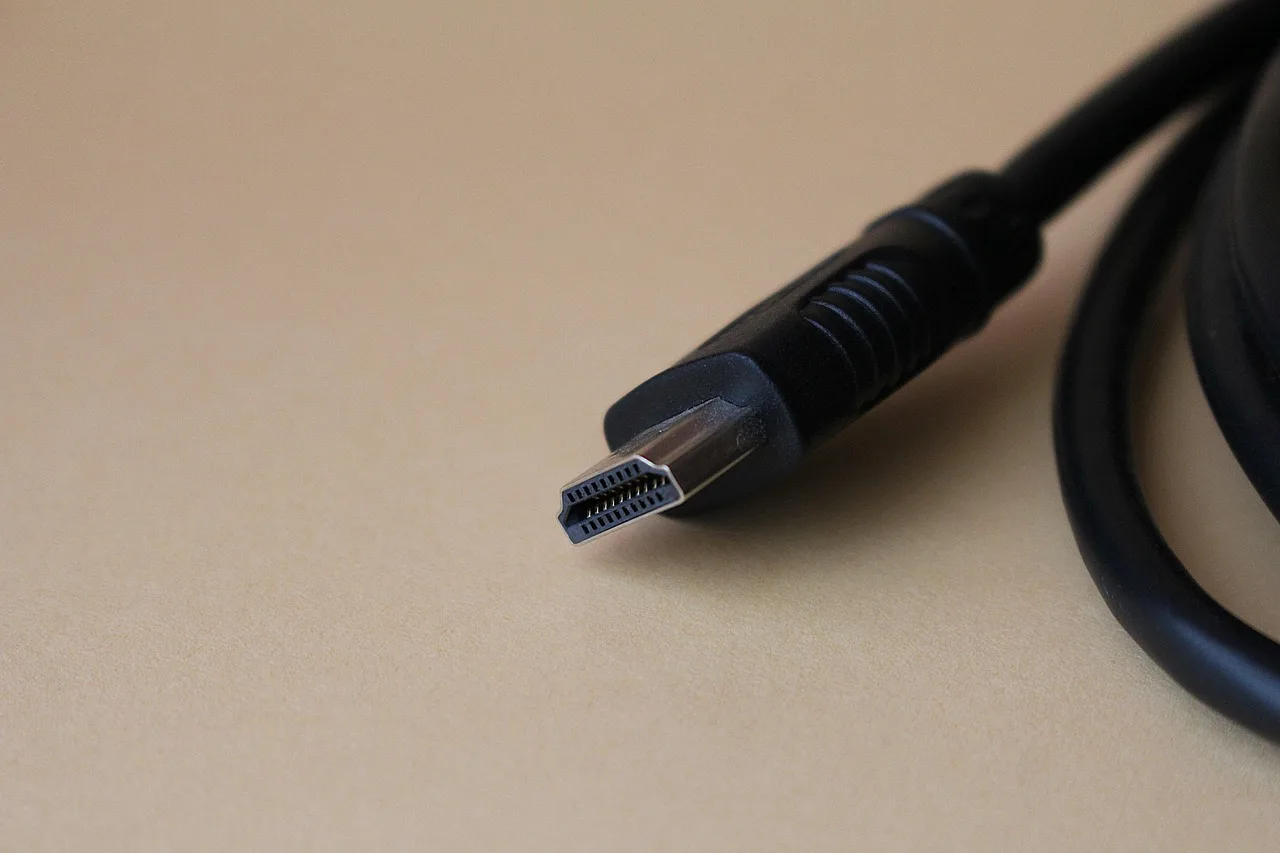
- Is there an HDMI input?It is labelled HDMI, often with numbers such as HDMI 1. If the only inputs are composite (yellow, white and red sockets), coaxial or SCART, the sticks below cannot plug in.
- What is the screen resolution?The manual or the model number search on the maker's site will say 720p, 1080p or 4K.
- Which HDMI port will you use?Some TVs label one port for ARC, which is for sending sound out. Others label a port for the 4K feature set. Plug into the port the manual names for video sources.
If there is no HDMI input, you can look for an adapter that converts HDMI to analogue video, but the streaming makers do not document those, so check compatibility with the adapter's maker. Editorial suggestion: price the adapter against a second-hand TV with HDMI before you decide. Other labels on the back of the TV are decoded in tech units and connector labels compared.
HDCP in one paragraph
HDCP is a copy-protection system on HDMI. Digital Content Protection LLC, which publishes it, describes a mechanism for authenticating receivers to the transmitter upstream of them, revoking receivers it finds invalid, and encrypting the content on the link. For you, that means the TV's HDMI input has to pass that check before protected streams will play.
The vendors state the practical rule. Roku says 4K and HDR content needs a TV with an HDMI input that supports HDCP 2.2, and that without it the content plays at a lower resolution. Apple says HDCP is required for protected content on Apple TV 4K. Amazon's specification table for the Fire TV Stick 4K Select lists HDCP versions 1.4, 2.2 and 2.3.
If your TV is 1080p or lower, you gain nothing in picture from a 4K stick. If you may replace the TV soon, a 4K stick is a reasonable forward purchase, but it is not required.
Compare the three platforms
The table gives only what the makers' own pages state. The Roku column is limited to its support pages, because its product pages could not be read when this was checked.
Roku
- Current options named by the maker
- Not confirmed against a current Roku page
- HDMI note
- 4K and HDR need an HDMI input with HDCP 2.2 on the TV
- Remote
- Not confirmed against a current Roku page
- Screen reader
- Yes, Settings, Accessibility
- Wi-Fi
- Not confirmed against a current Roku page
Fire TV
- Current options named by the maker
- Fire TV Stick HD (2024 and 2026 versions) and Fire TV Stick 4K Select (2025)
- HDMI note
- Select lists HDMI 2.1, 2.0 and 1.4b output and HDCP 1.4, 2.2 and 2.3
- Remote
- Alexa Voice Remote with power, volume and mute buttons on the 2024 HD stick
- Screen reader
- VoiceView
- Wi-Fi
- Dual-band; Wi-Fi 6 listed for the 2026 HD stick
Apple TV
- Current options named by the maker
- Apple TV 4K (4th generation)
- HDMI note
- HDMI 2.1, HDCP required for protected content
- Remote
- Siri Remote (4th generation); controls the TV by IR or CEC
- Screen reader
- VoiceOver
- Wi-Fi
- Wi-Fi 7 where supported; Gigabit Ethernet
Sources for the table: Roku's HDCP 2.2 support article and accessibility page; Amazon's Fire TV device specifications; Apple's Apple TV 4K specifications.
Cost. These are launch or pre-order prices, read on 25 October 2026, not current shop prices. Amazon's launch announcement priced the Fire TV Stick HD at $34.99 (USD) for pre-order, shipping from April 29. Amazon's specification table lists two different products named Fire TV Stick HD, one from 2024 and one from 2026, so check which one a store is selling. Apple's store page showed one Apple TV 4K at $299.00 for pre-order, and Apple's product page says it is available starting 13 November. No Amazon price is given for the Fire TV Stick 4K Select and no Roku price is given, because neither could be confirmed from the maker's own pages. Check each maker's page for current prices, since promotions change them.
Editorial suggestion: for a 1080p TV that is only used for a few streaming apps, the cheapest stick that has a voice remote and an HDMI connection is the sensible start. Apple TV costs more and its main extras, 4K and fast networking, are wasted on a 1080p screen.
Remote, sound and speed
Remote. Amazon's table lists the Alexa Voice Remote, with dedicated power, volume and mute buttons, for the 2024 HD stick. Apple's page says Apple TV can control your TV via IR or CEC. Check the remote for any Roku model you consider, since that could not be confirmed here. Editorial suggestion: voice search helps anyone who finds an on-screen keyboard slow.
Sound. The HDMI cable carries video and sound together. If your TV sends sound to a soundbar through ARC, plug the stick into the TV and let the TV pass sound on. Amazon's table says the 4K Select passes through Dolby-encoded audio over HDMI, and Apple lists Dolby Atmos support. A TV with only a headphone or optical output is a TV setting question, so check the TV manual.
Speed. The FCC's broadband speed guide lists 3 to 4 Mbps for standard-definition streaming, 5 to 8 Mbps for HD and 25 Mbps for 4K, one activity at a time. Add those figures for each screen that may play at once, and see how much internet speed you need. If the TV sits far from the router, a weak signal is a likelier cause of buffering than the stick. Options are in Wi-Fi, Ethernet, mesh and extenders compared. Apple TV 4K has Gigabit Ethernet. Amazon's table says the 2026 HD stick and the 4K Select require an Amazon Ethernet adapter. Check Roku's page for the model you pick.
Accessibility settings by platform
Roku's accessibility page lists a screen reader that reads menus aloud and closed captioning, both under Settings, Accessibility. The screen reader can be switched on or off by pressing the Options button four times quickly, and it needs Roku OS 7.5 or later. The same page says text resizing and user interface customisation are not available on Roku players and TVs. Captions appear only when the programme supports them, and some apps keep their own caption controls.
Amazon's developer page says VoiceView, the Fire TV screen reader, is enabled by holding the Back and Menu keys on the remote for two seconds.
Apple's specification page lists VoiceOver, Zoom, Hover Text, Increase Contrast, Reduce Motion, Closed Caption and SDH support, Audio Descriptions, Type to Siri, Switch Control and Larger Type.
If screen reading or large text is the deciding factor, try the actual remote first. The general setup steps for these features are in setting up accessibility features, and a method for trialling tools before buying is in assistive tools compared.
Set it up in this order
- Plug the device into an HDMI input and power it from the supplied adapter. Amazon's announcement of the 2026 Fire TV Stick HD says it can be powered from a TV's USB port with the included cable. Editorial suggestion: use a wall adapter for the first test, since a TV's USB port may not supply enough power.
- Choose the matching TV input with the TV remote.
- Connect to Wi-Fi and sign in to the platform account on the TV.
- Turn on captions and the screen reader at this point if you need them.
- Sign in to each streaming app once, then test sound and the remote's TV controls.
- If you have no picture, try a different HDMI port and cable, then check the maker's support page for your model. Editorial suggestion: with a 4K stick, a TV input without HDCP 2.2 is worth ruling out.
If you also want to play games over the internet, the device matters less than the connection. See cloud gaming explained. When an old set-top box or player is retired, use a recycling route.
Sources
- [Roku SupportWhy is HDCP 2.2 important to playing 4K Ultra HD or HDR content?](https://support.roku.com/article/230317588)
- [Roku SupportAccessibility on the Roku platform](https://support.roku.com/article/about-accessibility)
- [Amazon DeveloperFire TV streaming media player device specifications](https://developer.amazon.com/docs/device-specs/device-specifications-fire-tv-streaming-media-player.html)
- [AmazonFire TV Stick HD announcement](https://www.aboutamazon.com/news/devices/fire-tv-stick-hd-slimmest-streaming-device)
- [Amazon DeveloperAssistive technologies for Fire OS](https://developer.amazon.com/docs/fire-tv/assistive-technologies-fire-os.html)
- [AppleApple TV 4K technical specifications](https://www.apple.com/apple-tv-4k/specs/)
- [Apple StorePre-order Apple TV 4K](https://www.apple.com/shop/buy-tv/apple-tv-4k)
- [Digital Content Protection LLCHDCP on HDMI specification, Rev 2.2](https://www.digital-cp.com/sites/default/files/specifications/HDCP%20on%20HDMI%20Specification%20Rev2_2_Final1.pdf)
- [FCCBroadband Speed Guide](https://www.fcc.gov/consumers/guides/broadband-speed-guide)