Rules
Part of Consumer device security: a four-asset framework
Security warning signs on your devices, and what to do about them first
Security warning signs and first responses for phishing, unknown logins, changed recovery details, malware symptoms, SIM loss, payment fraud, and impersonation.
What to take away
- Verify alerts through a known app or address, never through the message that created alarm.
- Protect primary email, financial accounts, and phone service from a known-clean device.
- Preserve exact messages, times, transactions, and session records.
- Isolate a suspected infected device before using it to change passwords.
- Match reports and recovery actions to the accounts, money, and personal information involved.
One warning does not prove compromise. A slow device may be updating, and an unexpected code may come from someone mistyping a number. Respond without panic, but do not ignore corroborating evidence. The controls that limit the damage in the first place are set out in the consumer device security guide.
First 10 minutes
If something is happening now, work this list in order.
- Contain the device. Disconnect it from networks if you see redirects, unknown administrator accounts, or security tools switching off.
- Handle money first. Call the bank or card issuer about a transfer you did not make before any account recovery.
- Open the service from a known-clean device. Type the address yourself, never the link in the alert.
- Change the password, then sign out of all sessions.
- Review MFA methods, recovery email, and recovery phone, and remove anything you do not recognize.
- Save the original message, transaction IDs, and timestamps, and note what you did and when.
Suspicious message
Warning signs include urgency, secrecy, unexpected attachments, requests for credentials or payment, mismatched addresses, and a demand to move conversation to another channel. Generative tools can produce fluent messages, so spelling is not a reliable test.
Clicked a suspicious message?
Did you enter anything?
No -> Close page, report, check downloads
Yes -> Change password, revoke sessions, check MFA
CISA's phishing tip sheet advises recognizing and reporting suspicious messages. Verify through a known app, bookmarked site, or independently obtained number, then use the organization's reporting control before deleting the message.
If you clicked but entered nothing, close the page, report it, and check downloads and browser notifications. If you entered a password, change it and revoke every session, then review MFA and recovery settings (see First 10 minutes). Doing that work in advance, in order, is how to harden personal devices and accounts.
Unknown login or password reset
Open the service directly. Review session time, device, location, and activity. Locations can be approximate, so look for several indicators. If the login is not yours:
Secure an unknown login
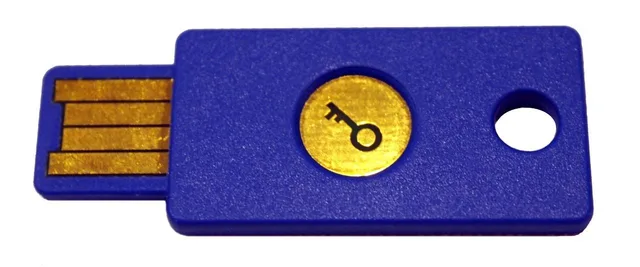
- Change password or register new credential
- Sign out other sessions
- Review MFA devices and app passwords
- Correct recovery email and phone
- Inspect forwarding, filters, sent, deleted
- Check connected apps and payment methods
Six steps, in order. Control names differ by provider and app version, so look for the same words on your account's security page.
- Change the password, using a device you trust (see First 10 minutes).
- Sign out every session. GoogleSecurity > Your devices. Apple: Settings > your name > Sign-In & Security. Microsoft: Security > Advanced security options.
- Review MFA methods and remove any you do not recognize. Google: Security > How you sign in to Google.
- Check recovery email and recovery phone, and replace anything you do not own.
- Check forwarding rules, filters, connected apps, and authorized devices.
- Report the login to the provider and keep the case number.
If money moved, handle that first.
Phone suddenly loses service
Unexpected loss of cellular service has ordinary causes, but it can also follow an account or SIM change. Contact the carrier through a known number or in person.
Phone service loss checks
- Contact carrier via known number
- Check carrier account and PIN
- Review authorized users
- Look for recent account changes
- Protect email and financial accounts
Check the carrier account, PIN, authorized users, and recent changes. Text codes depend on that carrier account, one reason passwords, passkeys, and MFA compared ranks them below stronger methods. Protect email and financial accounts from another connection you control (see First 10 minutes).
Device shows redirects or unfamiliar administration
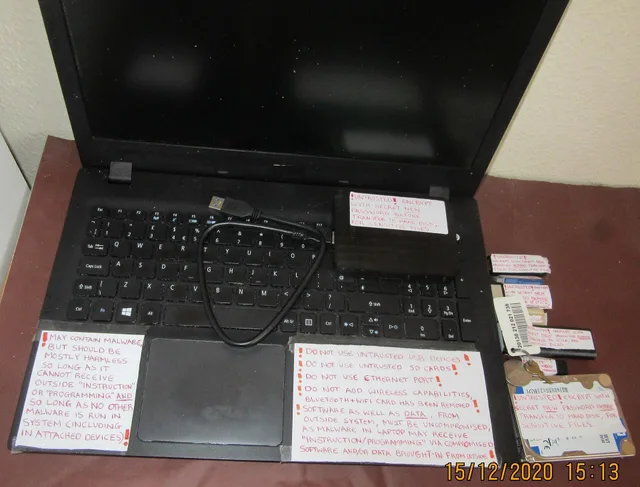
Repeated pop-ups, browser redirects, security tools disabled without permission, unknown profiles, new administrator accounts, encrypted files, or messages demanding payment deserve containment.
Disconnect the device from networks when doing so will not create a safety problem. Preserve the ransom note or error wording. Do not pay a pop-up technician or install its remote-control tool. Use trusted support or incident professionals. Redirects and pop-ups also sit on the slow-computer suspect list in common laptop problems and fixes.
Contacts receive messages you did not send
This can mean an account was accessed or someone is impersonating the address without access. Check sent mail, sessions, forwarding, recovery changes, social posts, and connected apps. Notify contacts through another channel and tell them not to use the link or payment request.
The FTC lists hacked account warning signs, including unrequested password or recovery changes, unknown logins, inability to sign in, forwarding rules, and messages or connections the owner did not create. It recommends provider recovery, password change, session sign-out, two-factor authentication, and recovery-information review.
Unknown transaction
Contact the bank, card issuer, marketplace, or payment provider through a trusted channel. Preserve transaction identifiers and dates. Do not wait for account recovery if money is moving. Call within minutes of noticing, because a pending transfer can sometimes be stopped. Replace exposed cards or accounts as the institution directs and update legitimate automatic payments afterward.
Response record
Write a timeline with device, account, symptom, exact alert, action, support case, and result. Do not put passwords or full account numbers in the log. This record helps distinguish one compromised account from a compromised device or reused credential. The routine review that surfaces these signs earlier is the personal device and account security checklist.
Common questions
Should I change passwords on the suspected device?
Use a device you trust (see First 10 minutes). Malware or remote access on the suspected device could capture the new credentials.
Does an unfamiliar city prove an intruder logged in?
No. Network geolocation can be imprecise. Compare device, time, session, activity, and whether you used a VPN or mobile network.
Should I delete a phishing message immediately?
Use the service's report control first when available, preserve evidence if harm occurred, then delete it.
Should I factory-reset after every suspicious pop-up?
No. Close the page, check notifications and downloads, scan with supported tools, and seek help if symptoms persist. Reset requires a verified backup and recovery plan.